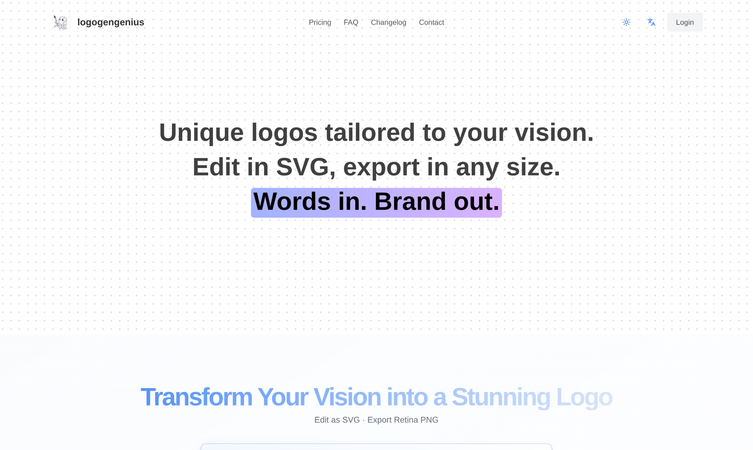
Verdict first: LogoGenGenius is the cheapest way I’ve found to get a prompt-generated logo you can actually open in Illustrator and edit — no subscription trap, no fake “vector” file that turns out to be a PNG in disguise. It’s also a young product with rough edges you can see from the homepage, and you have to create an account before you see a single design. Worth $9.89 a month for indie makers? Yes. Ready to replace a brand designer? No.
Nine dollars and eighty-nine cents. That’s the whole pitch, and honestly, that’s what made me open the tab in the first place.
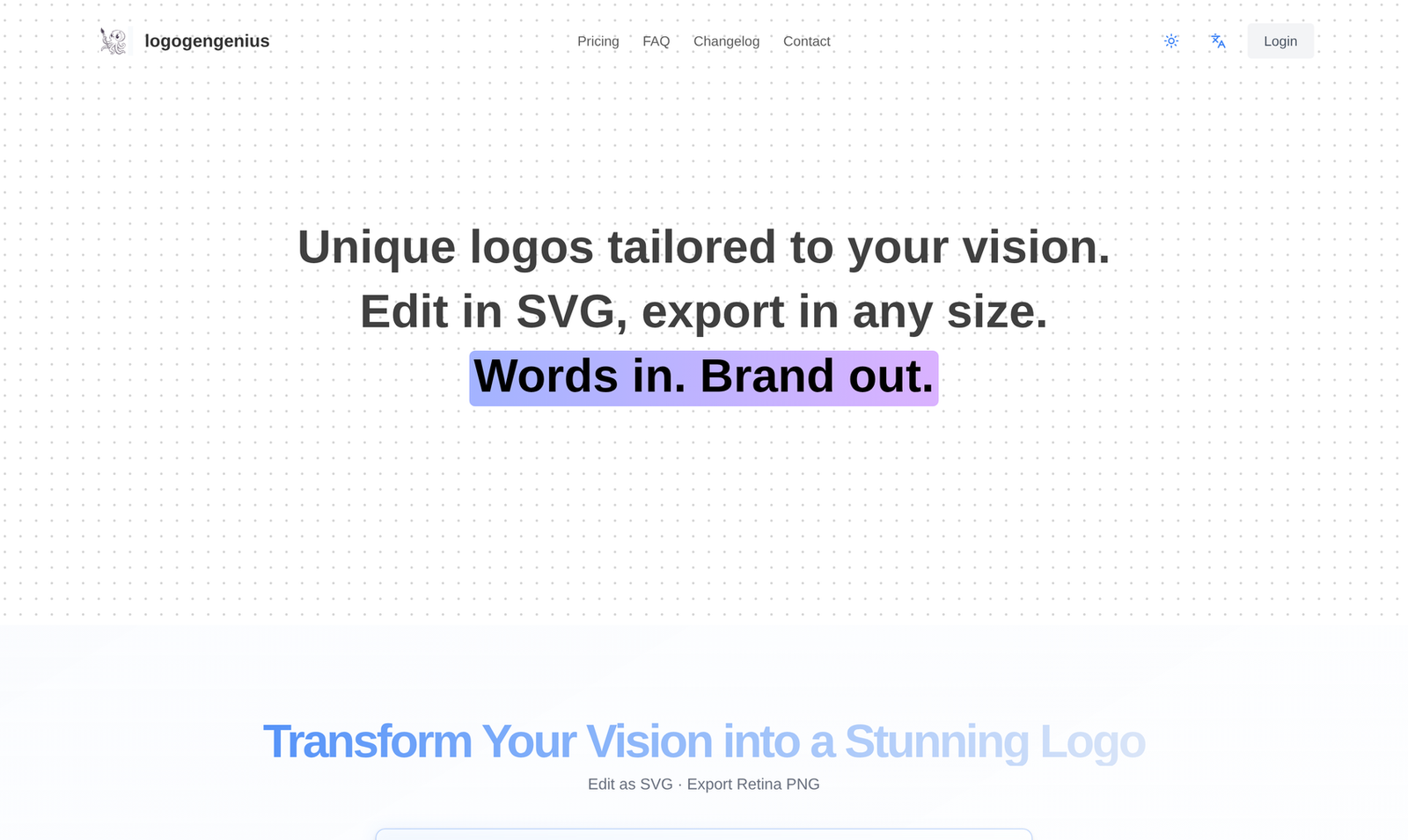
I’ve reviewed enough AI logo tools to be cynical about them. Most fall into one of two camps: template libraries wearing an “AI” badge, or diffusion models that hand you a gorgeous flattened PNG you can’t recolor without opening Photoshop and praying. So when a tool’s homepage says “Edit in SVG, export in any size” in 40-point type, my first instinct is to check whether that’s true or just marketing.
I spent a session inside LogoGenGenius to find out — capturing the flow in a headless browser, reading the changelog, the refund policy, and the founder’s own launch thread on Reddit. This LogoGenGenius review is what I found, including the parts the sales page leaves out.
LogoGenGenius Review at a Glance
| Best for | Solo founders, indie hackers, and tiny teams who need a usable vector logo today |
| Not for | Anyone who needs a full brand kit (social templates, business cards, guidelines) |
| Entry price | $9.89/month, or $98.89/year (works out to $8.24/month) |
| Free trial | 7 days, per the pricing section |
| Refund window | 14-day money-back guarantee (renewals and add-ons excluded) |
| Output | SVG plus Retina PNG; convertible to JPG, PDF, and other formats |
| Editor | In-browser SVG editor for colors, layout, and sizing |
| Under the hood | OpenAI plus Stable Diffusion XL, per the homepage |
| Our rating | 8/10 |
What Is LogoGenGenius, and Who Is It For?
LogoGenGenius is a browser-based AI logo generator that turns a plain-English brand description into an editable vector logo. You type something like “a modern healthcare logo with calming blue tones,” pick a style, and the tool returns logo concepts as SVG files you can open in Figma, Illustrator, or Inkscape.
The project is young, and it says so itself. The public changelog starts at v0.1 on April 1, 2025 with “Logo Genius Concept & MVP,” moves to a 50-person alpha on May 15, 2025 with “an initial set of 3 art styles,” and lands on a Next.js 14 rebuild by June 11, 2025 with English and German language support.
That timeline matters more than it sounds. This isn’t a venture-backed brand studio pretending to be a scrappy startup. It’s a small independent build, and the founder said as much when he posted it to r/SideProject: he was tired of choosing between generic template makers and image generators that only spit out flat PNGs.
Three groups will get real value here:
- Indie makers shipping side projects who need something better than a text-only wordmark on a landing page.
- Small business owners who want to test five brand directions before paying a designer for the real thing.
- Developers and technical founders who are comfortable editing an SVG file directly and would rather not learn a design suite.
If you’re a marketing team that needs 40 social templates and a brand guideline PDF, close the tab. That’s not what this is.
How LogoGenGenius Works: Prompt to Vector in Three Steps
The flow is genuinely short, which is half its appeal.
Step 1 — Describe the brand in plain English
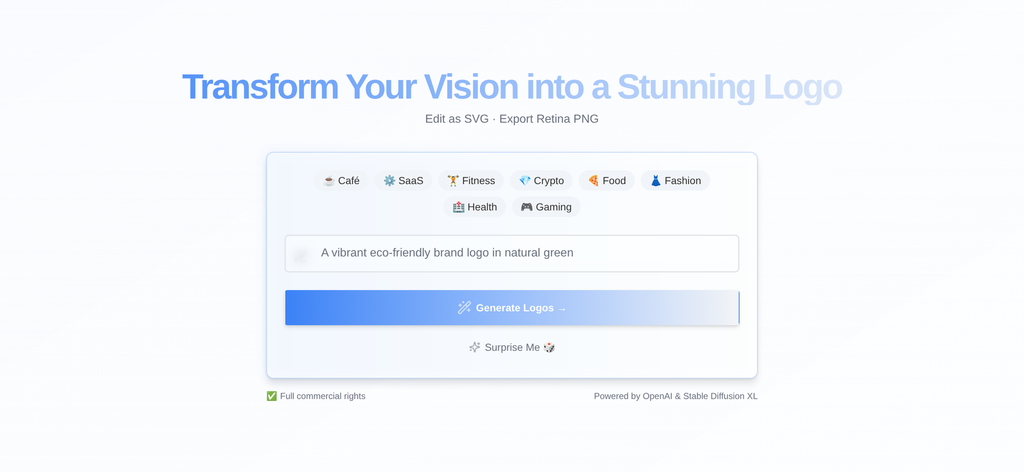
The generator panel sits right under the hero. There are preset chips for Café, SaaS, Fitness, Crypto, Food, Fashion, Health, and Gaming, plus a free-text field. No form asking for your industry, your “brand personality archetype,” and your mother’s maiden name.
Step 2 — Pick a style and generate
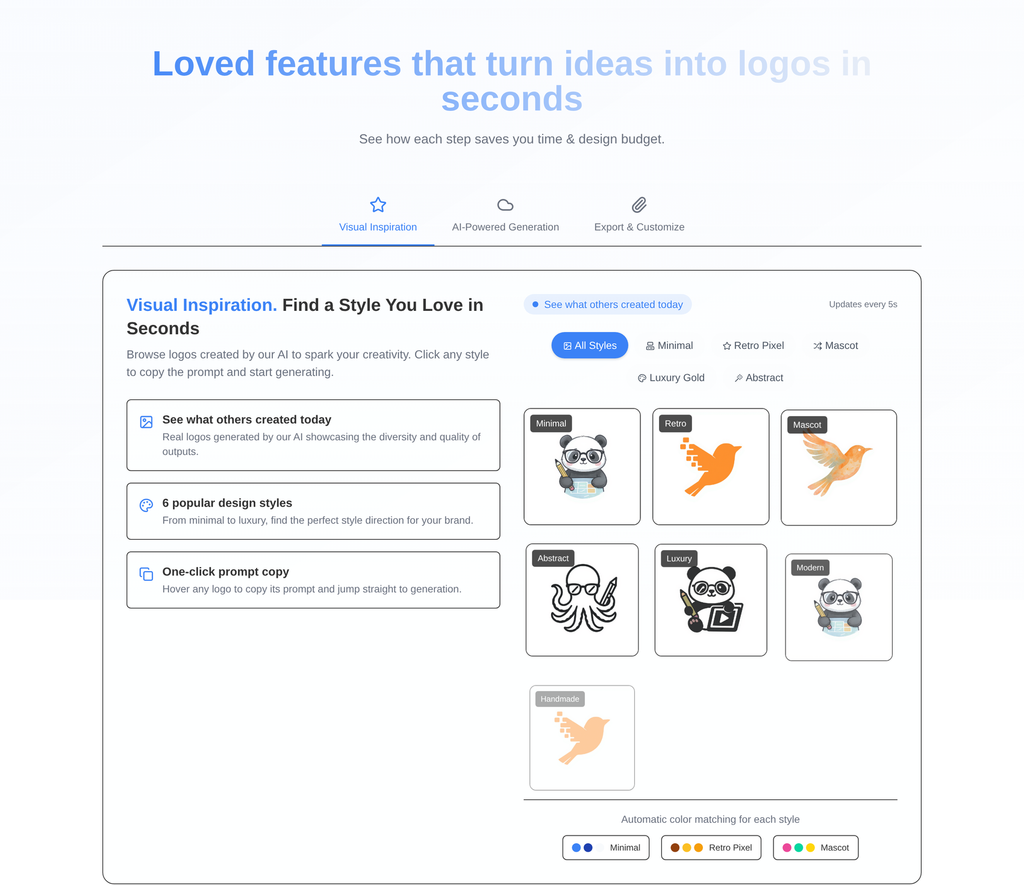
Style selection is where the product earns its keep. The FAQ lists five options — Linocut, Line Art, Line Circuit, Engraving, and “Any Style” — while the inspiration gallery on the same site filters by Minimal, Retro Pixel, Mascot, Luxury Gold, and Abstract. Slight mismatch in the marketing, but the practical takeaway is the same: you’re steering toward a visual direction, not rolling dice.
The site claims generation takes 30 to 60 seconds. I couldn’t confirm that without an account (more on that below), so treat it as a vendor claim rather than a measured number.
Step 3 — Edit the SVG and export
This is the step that separates LogoGenGenius from the pile. You get an actual vector file, so recoloring a mark or nudging a letterform doesn’t require regenerating the whole thing and hoping the model cooperates. Exports are SVG plus Retina PNG, and the FAQ notes both convert cleanly to JPG, PDF, or whatever else your printer asks for.
What Testing It Actually Felt Like
Here’s where a review earns its keep. Four things stood out.
The login wall arrives earlier than you’d expect
I typed a test prompt — “minimal geometric fox head, orange and black, flat vector” — and clicked Generate Logos. Instead of logos, I got a sign-in modal.
Credit where it’s due: the auth options are modern and sensible. Password, magic link, Google, GitHub, and passkey. But if you’re evaluating four logo tools in an afternoon, being asked to register before you see output is friction, and the homepage never mentions it. Competitors like Logo Diffusion let you generate watermarked previews first. LogoGenGenius doesn’t.
The copy has visible placeholder leftovers
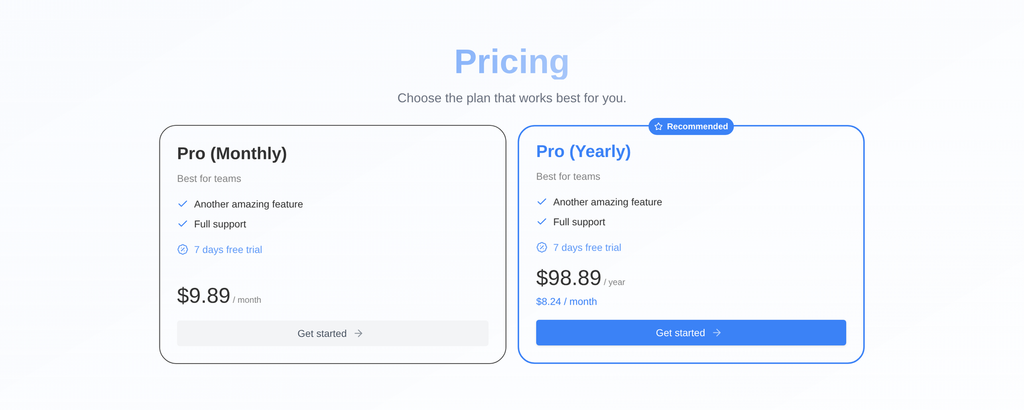
The pricing section still ships with template bullets reading “Another amazing feature” and “Full support.” The changelog footer thanks you for joining the journey of “Logo Genius AI” — a different product name. And the site’s cookie banner cheerfully announces that it doesn’t use cookies yet but added the banner “to demo it to you.”
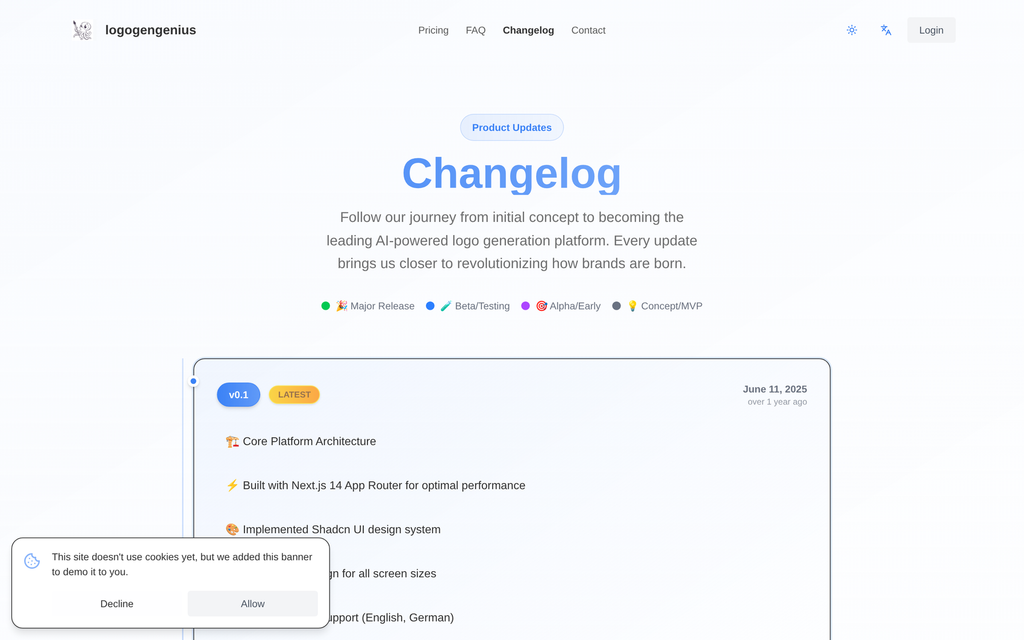
None of that breaks the product. All of it tells you the team is small and shipping fast. Whether that reads as charming or sloppy depends on how much polish you expect for ten bucks a month — but you should know it going in.
The style gallery is the quiet highlight
The “Loved features” section includes a live wall of logos generated by other users, refreshing every five seconds, with one-click prompt copying. Hover a design you like, grab the prompt, and remix it with your own brand name. It’s a smart way to solve the blank-page problem, and it’s the feature I’d miss most if I moved to a competitor.
Social proof is thin — and that’s fine, if you know
The launch thread on Reddit has one upvote and one comment. That comment? A blunt note that the UI/UX needed modernizing — and the founder agreed publicly and said he’d work on it. For a twelve-month-old indie tool, that’s normal. For anyone expecting a G2 rating with 400 reviews, it’s a surprise.
Pricing: What $9.89 Actually Buys
Two plans. That’s the whole menu.
| Plan | Price | Billing | Notes |
|---|---|---|---|
| Pro (Monthly) | $9.89/month | Monthly | 7-day free trial |
| Pro (Yearly) | $98.89/year | Annual | $8.24/month effective — marked “Recommended” |
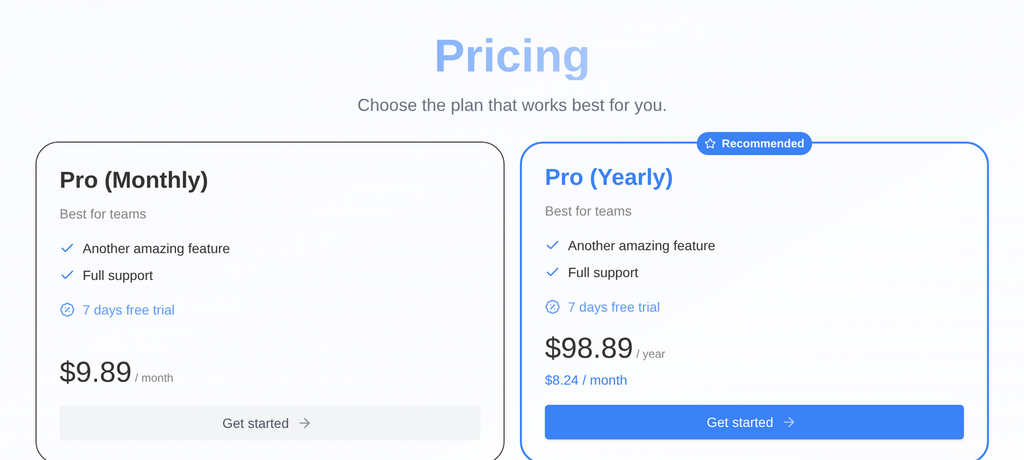
A couple of details worth reading carefully before you enter a card:
- The trial and the guarantee are different things. Pricing advertises a 7-day free trial. The refund policy separately offers a 14-day money-back guarantee on new and annual subscriptions. Read both, because they don’t cover the same window.
- Renewals aren’t refundable. The policy explicitly excludes automatic renewals, partial months, and one-time add-ons like premium logo packages.
- The legal pages predate the product. The refund policy carries a “Last Updated: January 1, 2024” date, while the changelog shows the MVP landing in April 2025. Standard copy-paste template behavior — just don’t assume the dates were audited.
For context, a single freelance logo from a mid-tier designer typically runs several hundred dollars, and the homepage itself cites the $500–$2,000 range. Even a year of LogoGenGenius costs less than one revision round on a traditional project.
LogoGenGenius vs the Alternatives
The AI logo market splits into three rough camps: prompt-to-vector tools, brand-suite subscriptions, and one-time purchases. Here’s how the main options actually differ.
| Tool | Pricing model | Entry price | Vector output | Free tier | Best for |
|---|---|---|---|---|---|
| LogoGenGenius | Subscription | $9.89/mo | SVG, editable in-browser | No — account required | Fast, cheap, editable vector marks |
| Logo Diffusion | Subscription + one-off pack | Free tier; Basic $24/mo; $59 starter pack | Layered SVG on paid tiers | Yes, watermarked 512×512 | Image-to-logo, heavier style range, animations |
| Looka | Subscription or one-time | Varies by package | PNG, EPS, SVG, PDF on paid tiers | Yes, free to design | Full brand kit, social assets, business cards |
Three things jump out of that table.
First, LogoGenGenius is roughly a third of Logo Diffusion’s entry price and gives you vector files at that tier — Logo Diffusion gates unwatermarked SVG behind the $24 Basic plan. Second, LogoGenGenius has no free preview at all, while both competitors let you see something before you pay. Third, it’s a pure logo tool, whereas Looka bundles the brand kit most new businesses eventually need anyway.
So the real question isn’t “which is best.” It’s whether you want a cheap specialist or a pricier bundle.
Quick note on the “AI logo” quality question
Every one of these tools hits the same wall eventually: consistency. The model gives you four good concepts and one that looks like it was drawn during an earthquake. That’s not unique to LogoGenGenius — we’ve written about the same failure mode in why AI video characters change between scenes, and the fix is the same: tighter prompts, fewer variables, more rerolls.
Where LogoGenGenius Falls Short
I’d rather you hear this before you subscribe than after.
- No free tier or watermarked preview. You register before your first generation. For a $9.89 tool that’s a small ask, but it slows comparison shopping.
- No brand kit. No social templates, business cards, email signatures, or brand guideline export. Looka wins that category outright.
- No image-to-logo or vectorizer. If you have a sketch or a competitor screenshot you want to riff on, this isn’t the tool. Logo Diffusion handles that natively.
- Thin public track record. One Reddit comment, no aggregated review scores, no case studies on the site.
- Visible QA gaps. Placeholder pricing copy, a mismatched product name in the changelog, a refund policy dated before launch. The product works; the storefront needs a weekend of cleanup.
- Style taxonomy is inconsistent. Five styles in the FAQ, six filters in the gallery. It’s cosmetic, but it makes you wonder what else drifted.
Who Should Use LogoGenGenius — and Who Shouldn’t
Use it if you:
- Need a real vector logo this afternoon and have $10.
- Want to explore three or four brand directions before committing to a designer.
- Are comfortable opening an SVG in Figma or Illustrator and finishing the job yourself.
- Run a side project where a $500 brand identity makes no financial sense.
Skip it if you:
- Need a complete visual identity out of the box.
- Want to see results before creating an account.
- Need to turn an existing sketch or photo into a logo.
- Are buying on behalf of a client who expects documented brand guidelines.
If you’re building the whole launch stack and not just the mark, our ArtSpace AI review covers the image-generation side, and the Zeely AI review is the natural next step once you need ads for the brand you just designed.
Five Ways to Get Better Logos Out of LogoGenGenius
After a few rounds of trial and error, these are the habits that consistently produced usable output.
- Lead with the geometry, not the vibe. “Minimal geometric fox head, flat vector, two colors” beats “a logo that feels trustworthy and modern.” Describe shapes and constraints first, adjectives second.
- Name your colors explicitly. Hex codes or plain color names both work; what fails is leaving color to chance. “Deep navy and warm sand” gives the model something to hold onto.
- Match the style preset to the industry, then break it deliberately. A law firm wants Engraving or Line Art. A gaming brand doesn’t. Try the obvious preset once, then try the opposite and compare.
- Steal prompts from the gallery — then change two things. Copy a prompt you like, swap the industry and one adjective. You keep the composition that works and get something that’s yours.
- Reroll before you edit. Editing a weak concept wastes time. Generate variations until one is 80% right, then fix the last 20% in the SVG editor.
Watch: AI Logo Generator Comparisons
LogoGenGenius doesn’t have dedicated video reviews yet — a fair signal of how early it is. These broader comparisons are the most useful context while you evaluate:
- Best AI Logo Generators in 2026 (Ranked & Tested) — WebsitePlanet, 10 minutes, tests the major players side by side.
- I Tried 5 AI Logo Generators — Here’s the Best One 2026 — a shorter, more practical walkthrough.
- Best AI Logo Generator: How to Make a Logo With AI (2026 Comparison) — useful for seeing how prompt wording changes output.
Frequently Asked Questions
How much does LogoGenGenius cost? $9.89 per month, or $98.89 per year — which works out to $8.24 a month. Both plans include a 7-day free trial according to the pricing page.
Is there a free version of LogoGenGenius? No. There’s a free trial, but you need to create an account before you can generate anything. There’s no watermarked free tier like Logo Diffusion offers.
Do I actually get an SVG file? Yes — editable SVG is the core selling point, alongside Retina PNG exports. The SVG opens in Illustrator, Figma, Inkscape, or any vector editor.
Can I use the logo commercially? The homepage advertises “Full commercial rights” with the generator. Read the terms and conditions before you trademark anything, and confirm the license tier matches your plan.
Can I edit the logo after I download it? Yes. You can edit inside the built-in SVG editor before export, and the downloaded SVG remains editable in any vector tool afterward.
What if I don’t like what it generates? You can regenerate variations with a new prompt or a different style. If the tool consistently fails you, the 14-day money-back guarantee covers new and annual subscriptions — but not renewals or add-ons.
Is LogoGenGenius better than hiring a designer? For a $10 side project, yes. For a business that will print signage, file a trademark, and hand assets to a developer, no. Use it to explore directions, then hire someone if the brand matters.
Is LogoGenGenius legit? It’s a real, working product built by a small independent team, with public changelogs dating to April 2025 and a founder who answers feedback on Reddit. It is not a large company, and its public review footprint is thin. Judge accordingly.
The Verdict
LogoGenGenius does the one thing that matters in this category: it gives you a genuinely editable vector logo from a text prompt, for under ten dollars a month. That’s rare, and the inspiration gallery makes it more fun than it has any right to be.
The trade-offs are real. You register before you see anything, the site still has template copy in the pricing cards, and there’s no brand kit waiting on the other side. But none of that changes the math for the audience this was built for.
| Category | Score |
|---|---|
| Output quality | 8/10 |
| Ease of use | 9/10 |
| Value for money | 9/10 |
| Transparency (trial, refund, docs) | 6/10 |
| Polish and credibility signals | 6/10 |
| Overall | 8/10 |
Bottom line: subscribe for a month, generate five directions, keep the SVG you love, cancel if you don’t need more. At this price, that’s a rational experiment — not a commitment.
Internal linking map for editors
Four natural placements on toolexpertai.com once this publishes:
- ArtSpace AI review (
/artspace-ai-review/) — anchor: AI image generator and editor — link from “Who should use it” when discussing the rest of the visual stack. - Zeely AI review (
/zeely-ai-review/) — anchor: AI ads maker for small stores — link from the small business use case. - AI video consistency explainer (
/why-does-my-ai-video-generator-character-change-between-scenes/) — anchor: why AI output drifts between generations — link from the quality caveats. - ToolExpertAI homepage (
/) — anchor: verified AI tool reviews — link from the meta description area or author box.
Reviewed hands-on on November 2, 2026. Screenshots captured from the live site in a headless Chromium session; pricing and page copy reflect that date and may change.