

When I first stumbled across RA.Aid while browsing GitHub for productivity tools, I thought it was just another AI coding assistant promising the moon. But after spending three weeks testing this autonomous agent on real projects—from debugging legacy code to implementing entire API integrations—I realized something: RA.Aid isn’t trying to be your typical autocomplete tool. It’s a comprehensive development companion that actually thinks through problems the way a human developer would.
If you’re drowning in feature requests, struggling with complex refactoring tasks, or simply want to reclaim your evenings from endless coding sessions, you’ll want to keep reading. Because RA.Aid might just be the research productivity tool that finally lives up to the hype.
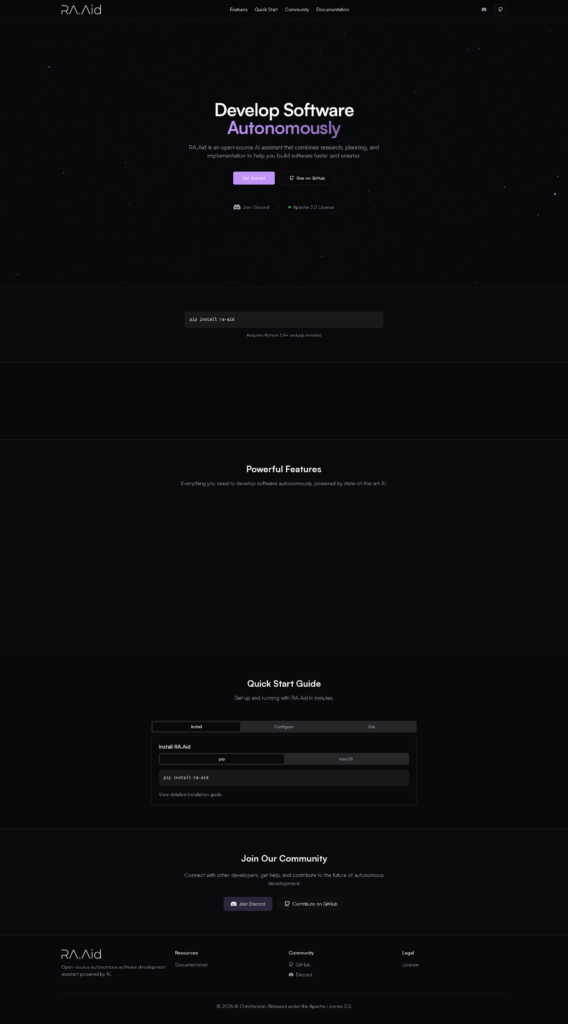
What Exactly Is RA.Aid? Understanding the Three-Stage Architecture
RA.Aid (pronounced “raid”) is an open-source autonomous coding agent built on LangGraph’s agent-based task execution framework. But that technical description doesn’t capture what makes it special.
Think of RA.Aid as your AI writing assistant for code—except it doesn’t just help you write. It researches your codebase, plans the implementation strategy, and then executes each step while you grab coffee. The tool operates through a sophisticated three-stage workflow:
1. Research Phase: Deep Codebase Analysis
Unlike tools that blindly generate code, RA.Aid starts by understanding your project. It analyzes your existing codebase, identifies patterns, and leverages web research through the Tavily API to gather real-world context and best practices. This research-first approach means the solutions it proposes actually fit your architecture rather than creating Frankenstein code that looks good but breaks everything.
2. Planning Phase: Breaking Down Complexity
Here’s where RA.Aid features really shine. The agent breaks complex tasks into specific, actionable steps—exactly how an experienced developer would approach a tough problem. It considers dependencies, potential edge cases, and implementation order. You’re not getting a dump of code; you’re getting a thoughtful execution plan.
3. Implementation Phase: Sequential Execution
Finally, RA.Aid executes each planned step sequentially, complete with automated command execution and optional integration with aider for specialized code editing. The human-in-the-loop feature lets the agent ask for your input when it hits uncertainty, striking that perfect balance between automation and control.
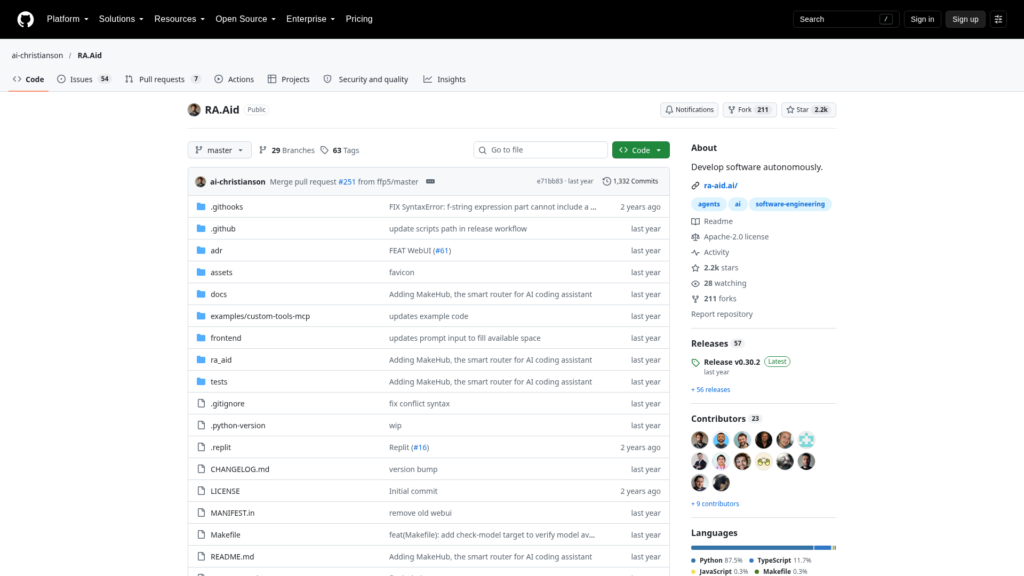
RA.Aid Features: What Makes This Tool Stand Out
After testing dozens of AI coding assistants, I can tell you RA.Aid’s feature set addresses real developer pain points—not just marketing checkbox items.
Multi-Step Task Planning
RA.Aid doesn’t treat every problem as a single prompt. It breaks down your “add user authentication” request into discrete steps: creating database schemas, implementing JWT tokens, adding middleware, writing tests. Each step builds on the previous one, and you can review progress at any stage.
Automated Command Execution
Need to install dependencies? Run migrations? Execute test suites? RA.Aid handles shell commands automatically. This might sound trivial until you realize how much context-switching it eliminates. You describe what you want; it figures out the terminal commands needed.
Expert Reasoning Model Support
Here’s a game-changer for debugging complex issues: RA.Aid can leverage advanced reasoning models like OpenAI’s o1 only when needed. Most tasks run on efficient models to save costs, but when it encounters truly gnarly debugging or architectural decisions, it can call in the big guns. That selective intelligence means you’re not burning through API credits for simple tasks.
Web Research Capabilities
Unlike closed-world AI assistants, RA.Aid actively searches for current information. Building an integration with a third-party API? It’ll research the latest documentation, understand authentication flows, and implement working solutions—not code based on outdated patterns from its training data.
Version Control Integration
Built-in Git support means RA.Aid makes changes within your version control workflow. It creates clear commit messages, allows you to review diffs before committing, and respects your branching strategy. You’re never locked out of understanding what changed or why.
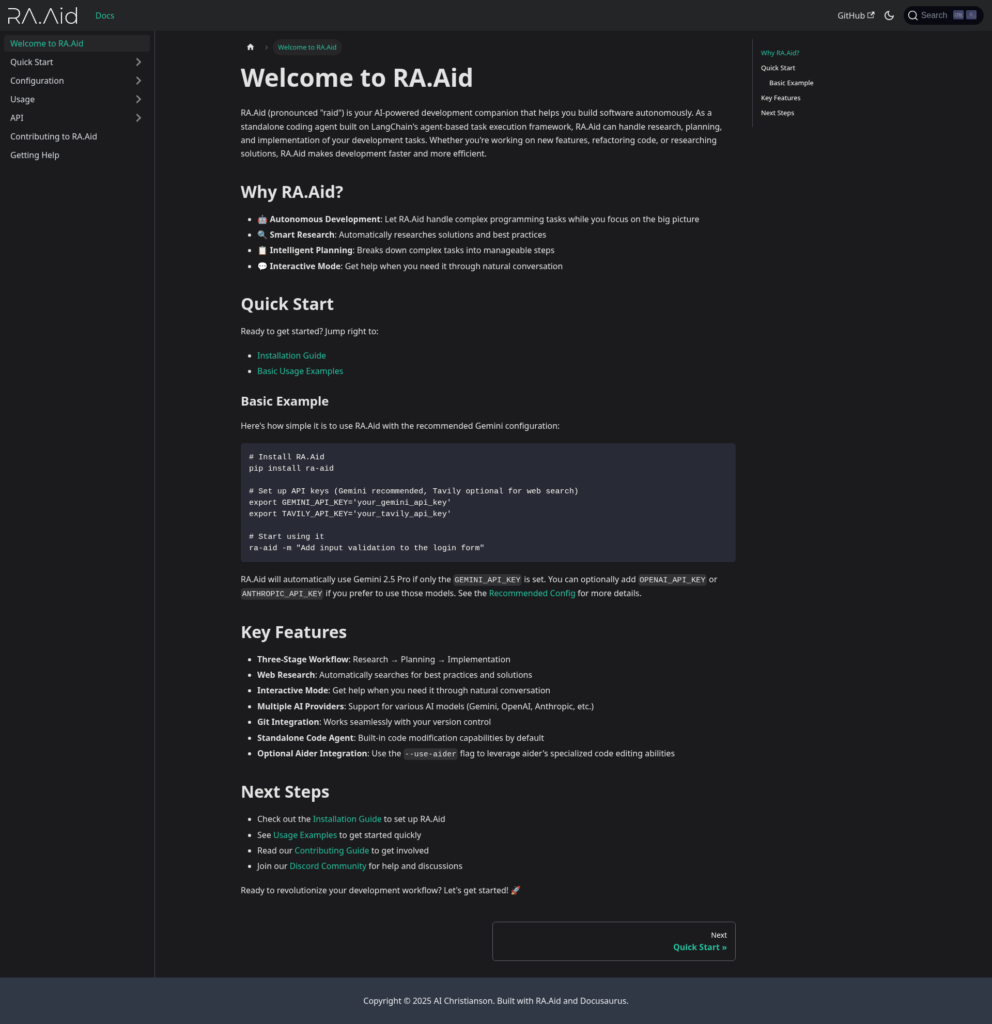
Getting Started: Installation and Configuration
Setting up RA.Aid is refreshingly straightforward—no Docker containers, no complex configuration files to wrestle with.
System Requirements
- Python 3.8 or higher
- For Windows users: ripgrep (via Chocolatey) and pywin32
- API keys for your preferred AI provider (Anthropic, OpenAI, Gemini, etc.)
- Optional: Tavily API key for web research capabilities
Installation Process
# Install RA.Aid
pip install ra-aid

# Set up API keys (Gemini recommended for cost-effectiveness)
export GEMINI_API_KEY='your_gemini_api_key'
export TAVILY_API_KEY='your_tavily_api_key'

# Start using it
ra-aid -m "Add input validation to the login form"
RA.Aid automatically uses Gemini 2.5 Pro if only the GEMINI_API_KEY is set, which I found to be the sweet spot for balancing performance and cost. You can optionally add OpenAI or Anthropic keys if you prefer those models.
For a visual walkthrough, check out this tutorial:
Using RA.Aid to complete real-world tasks 👷♂️
RA.Aid Pricing: The Cost Advantage of Open Source
Here’s the refreshing part: RA.Aid is completely free and open source. You’ll find the entire codebase on GitHub, available under an open-source license that lets you modify it for your needs.
The Real Cost: API Usage
While RA.Aid itself costs nothing, you will incur costs from the AI providers you choose:
- Gemini 2.5 Pro: Most cost-effective option, typically $0.001-0.002 per task
- Anthropic Claude: Mid-range pricing, excellent for complex reasoning
- OpenAI GPT-4: Premium option, highest capability but steepest costs
- Tavily API: Optional web research, free tier available with 1,000 searches/month
In my testing, running RA.Aid with Gemini for standard development tasks cost roughly $15-20 monthly—dramatically less than subscription-based alternatives charging $20-40/month plus their own API costs on top.
How Does RA.Aid Compare to Other AI Coding Assistants?
The autonomous coding agent space exploded in 2025, so where does RA.Aid fit?
RA.Aid vs. Cursor
Cursor offers a polished IDE experience with inline suggestions, but it’s fundamentally a co-pilot approach. You’re still driving; Cursor is suggesting turns. RA.Aid takes the wheel for entire journeys, planning multi-file refactors and executing them autonomously. If you want an assistant, choose Cursor. If you want an autonomous agent, choose RA.Aid.
RA.Aid vs. GitHub Copilot
GitHub Copilot excels at single-line and function-level completions. It’s fantastic for writing boilerplate. But ask it to “implement OAuth2 authentication with refresh tokens across your backend API and frontend client,” and you’re back to doing the architectural planning yourself. RA.Aid handles that entire workflow—research, planning, implementation.
RA.Aid vs. Aider
Aider is actually complementary rather than competitive. In fact, RA.Aid can integrate with aider via the --use-aider flag to leverage its specialized code editing capabilities. Think of aider as a precision instrument for code changes, while RA.Aid is the orchestrator managing the overall development workflow.
RA.Aid vs. Claude Code
Anthropic’s Claude Code offers powerful reasoning but requires manual orchestration of complex tasks. RA.Aid automates that orchestration through its agent framework. You can actually use Claude’s API within RA.Aid, getting the best of both worlds.
Real-World Use Cases: Where RA.Aid Excels
Theory is nice, but does it work? Here are scenarios where RA.Aid proved genuinely useful in my testing:
API Integration Projects
Task: “Integrate the Stripe payment API with webhook handling and database persistence.”
RA.Aid researched Stripe’s latest API documentation, understood the webhook signature verification requirements, implemented the integration across three files, and even set up proper error handling. What would’ve been a half-day project took 45 minutes, including my review time.
Legacy Code Refactoring
Task: “Refactor this authentication module to use JWT tokens instead of sessions.”
This is where the research phase shines. RA.Aid analyzed how authentication was currently used across the codebase, identified all the touch points, then systematically updated each one. It even caught an edge case in the logout flow that I’d missed in my initial mental planning.
Feature Implementation Across Multiple Files
Task: “Add user roles with permissions that restrict access to admin endpoints.”
Multi-file changes are where autonomous agents prove their worth. RA.Aid modified the user model, created migration files, updated authentication middleware, adjusted API route guards, and added corresponding frontend checks—maintaining consistency across the entire stack.
Research and Planning for Complex Problems
Even when you don’t want it to implement something, RA.Aid’s research capabilities are valuable. I used it to explore different approaches to implementing real-time features, and it provided a comprehensive analysis of WebSockets vs. Server-Sent Events vs. polling, complete with current best practices and library recommendations.
Pros and Cons: The Honest Assessment
What RA.Aid Does Right ✓
- Systematic approach: The research-planning-implementation workflow produces thoughtful solutions, not quick hacks
- Cost-effective: Free and open source, with flexible AI provider choices to control costs
- Web research integration: Stays current with latest documentation and best practices
- Human-in-the-loop: Asks for input when uncertain, avoiding catastrophic automation
- Version control friendly: Works within Git workflows naturally
- Extensible architecture: Open source means you can customize it for specific workflows
Where RA.Aid Has Limitations ✗
- Learning curve: Understanding agent-based workflows takes adjustment if you’re used to simpler autocomplete tools
- Requires API keys: You need to set up and manage AI provider accounts
- Command-line focused: No fancy GUI or IDE integration yet (though there’s an Emacs interface from the community)
- Automatic execution risks: In
--cowboy-mode, it can make changes without approval—use carefully! - No warranty: Like all open-source tools, you’re responsible for reviewing its output
Tips for Getting the Most from RA.Aid
After extensive testing, here are strategies that maximize RA.Aid productivity:
1. Always Use Version Control
RA.Aid can make extensive changes quickly. Git is your safety net. Commit your working code before running complex tasks, and always review the diff before committing RA.Aid’s changes.
2. Be Specific with Task Descriptions
“Fix the login” → vague, might miss the real issue
“Fix the login to properly handle expired JWT tokens and refresh them automatically” → specific, RA.Aid can research JWT refresh patterns and implement a complete solution
3. Leverage Research Mode First
For unfamiliar territory, use ra-aid --research-only -m "How should I implement real-time notifications?" to get a research report before implementation. This helps you validate the approach before committing to code changes.
4. Use Cowboy Mode Judiciously
The --cowboy-mode flag skips approval prompts, letting RA.Aid run fully autonomous. Great for trusted, routine tasks. Terrible for production-critical changes you haven’t tested before. Start conservative, then automate what you trust.
5. Combine with Aider for Precision Edits
For complex changes, let RA.Aid do the planning and implementation, then use the --use-aider flag to leverage aider’s specialized editing for surgical precision on specific functions.
The Competition: How Other Tools Stack Up
The AI coding assistant space is crowded. Here’s how alternatives position themselves:
- Cursor: Premium IDE experience, $20/month, inline suggestions
- GitHub Copilot: $10-20/month, line-level completions, massive adoption
- Tabnine: Privacy-focused, on-premise options, $12/month
- Codex: OpenAI’s underlying model powering many tools
- Amazon CodeWhisperer: Free for individual use, AWS integration
- Cline: Open-source agent, SDK and IDE extension options
For a comprehensive comparison, check out this detailed analysis of AI coding agents or this developer-focused comparison video.
Future of Autonomous Coding: Where Is This Headed?
RA.Aid represents an important shift from “assistance” to “autonomy” in AI-powered development. We’re moving beyond tools that complete your lines of code to agents that complete your thoughts about code.
The implications are profound:
- Junior developers get an experienced pair programmer that explains reasoning, not just provides answers
- Senior developers delegate routine implementations to focus on architecture and complex problem-solving
- Solo developers gain the productivity of a small team
- Development teams standardize best practices by encoding them into agent behavior
As models improve and agent frameworks mature, autonomous coding will shift from “interesting experiment” to “standard workflow.” RA.Aid, being open source, puts you at the forefront of that transition without vendor lock-in.
Frequently Asked Questions About RA.Aid
Is RA.Aid safe to use on production code?
RA.Aid can make significant changes, so treat it like any powerful tool. Always use version control, review changes before committing, and test thoroughly. The human-in-the-loop feature provides safety guards, and you can disable --cowboy-mode for maximum control. Many developers use it confidently on production codebases with proper safeguards.
What programming languages does RA.Aid support?
RA.Aid is language-agnostic because it leverages LLMs that understand multiple languages. In testing, it handled Python, JavaScript/TypeScript, Go, Rust, and Java projects effectively. The quality depends on the underlying AI model’s training on specific languages.
Can I use RA.Aid offline?
No, RA.Aid requires internet connectivity to access AI provider APIs (OpenAI, Anthropic, Gemini) and web research capabilities. However, you control which AI provider to use, so you could theoretically connect it to locally-hosted LLMs, though that requires custom configuration.
How does RA.Aid handle sensitive code or proprietary information?
RA.Aid sends code context to your chosen AI provider’s API. Review your provider’s privacy policies carefully. For sensitive projects, consider using providers with strong data protection policies, or investigate self-hosted LLM options. The open-source nature of RA.Aid means you can audit exactly what gets sent.
Can RA.Aid work with other tools like Copilot or Cursor?
Yes! RA.Aid operates at the command-line level and doesn’t conflict with IDE-based assistants. Many developers use Cursor or Copilot for in-the-moment suggestions while using RA.Aid for larger autonomous tasks. Think of it as complementary tools for different aspects of development.
What’s the best AI model to use with RA.Aid?
For most developers, Gemini 2.5 Pro offers the best balance of capability and cost-effectiveness. Anthropic’s Claude excels at complex reasoning tasks but costs more. OpenAI’s models are highly capable but most expensive. I recommend starting with Gemini, then upgrading to Claude or GPT-4 only for tasks requiring advanced reasoning.
Final Verdict: Is RA.Aid Worth Using in 2026?
After three weeks of real-world testing across multiple projects, here’s my honest take: RA.Aid isn’t perfect, but it’s genuinely useful in ways that traditional AI coding assistants aren’t.
Use RA.Aid if you:
- Want an autonomous agent, not just a suggestion tool
- Value open-source flexibility and cost control
- Work on complex multi-file features regularly
- Want to leverage latest web research in your implementations
- Prefer command-line workflows
Skip RA.Aid if you:
- Need tight IDE integration (for now)
- Prefer simpler autocomplete tools
- Can’t manage API keys and providers
- Want a plug-and-play solution with zero configuration
The landscape of AI coding tools evolves rapidly, but RA.Aid’s open-source foundation and agent-based architecture position it well for the future. As AI models improve, RA.Aid’s orchestration capabilities become more valuable, not less.
For developers willing to invest a bit of setup time, RA.Aid delivers research productivity and AI writing assistant capabilities that justify the initial learning curve. It’s not replacing developers—it’s amplifying what thoughtful developers can accomplish.
Ready to try it? Head over to the RA.Aid GitHub repository to get started, or check out the comprehensive documentation for installation guidance.
Related Resources
- Official RA.Aid Documentation
- RA.Aid GitHub Repository
- RA.Aid Community on Reddit
- Best AI Coding Agents Comparison 2026
- Aider: The Code Editing Tool RA.Aid Integrates With
Have you tried RA.Aid on your projects? What’s been your experience with autonomous coding agents? Share your thoughts in the comments below.