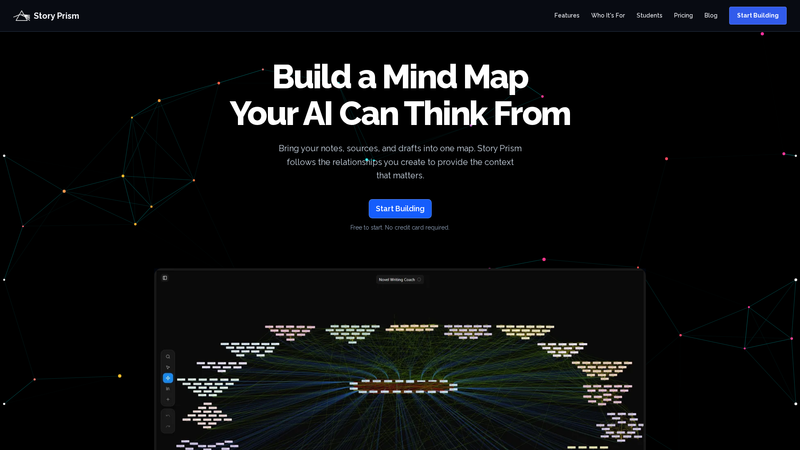
When I first stumbled across Story Prism while battling a 300-page fantasy manuscript with more plot threads than I could track, I thought it’d be just another AI writing tool making big promises. But after three months of daily use—mapping everything from character arcs to world-building systems—I realized this knowledge graph software is solving a problem most writers don’t even know they have: AI that forgets everything you told it two conversations ago.
If you’re tired of re-explaining your story’s backstory every time you open ChatGPT, or you’ve got research notes scattered across seventeen Google Docs, you’ll want to keep reading. Story Prism isn’t trying to write for you—it’s building a visual brain that thinks from your material.
What Is Story Prism? Beyond the Mind Map Hype
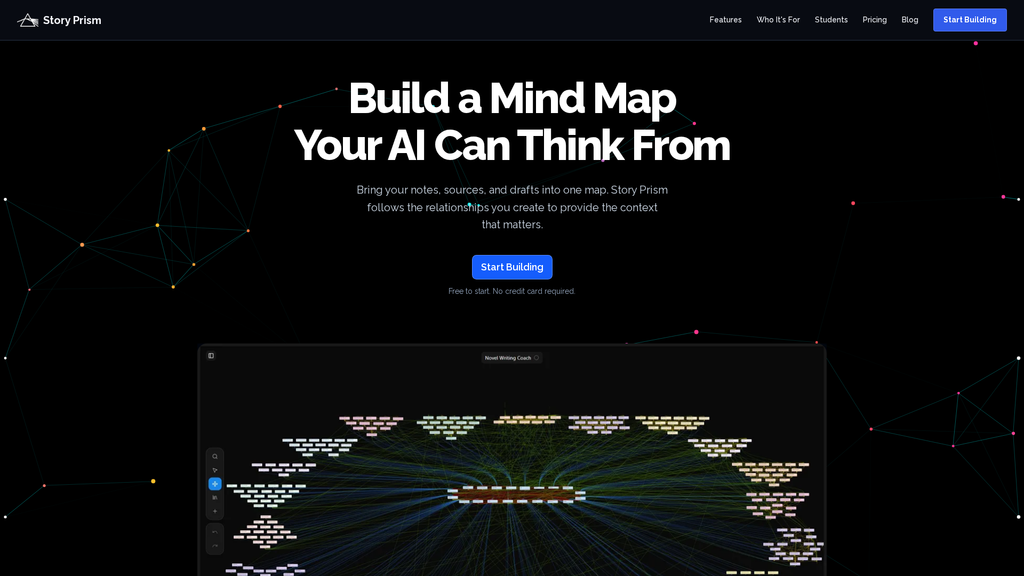
Story Prism is a canvas-based AI mind map and knowledge graph tool specifically designed for creative projects that demand serious depth—novels, screenplays, research papers, worldbuilding systems, and documentary treatments. Unlike traditional mind mapping software or generic AI chatbots, it does something genuinely different: you map your notes as connected nodes (characters, scenes, plot points, sources), label the relationships between them (contradicts, supports, motivates), and the AI assistant follows those connections when generating responses.
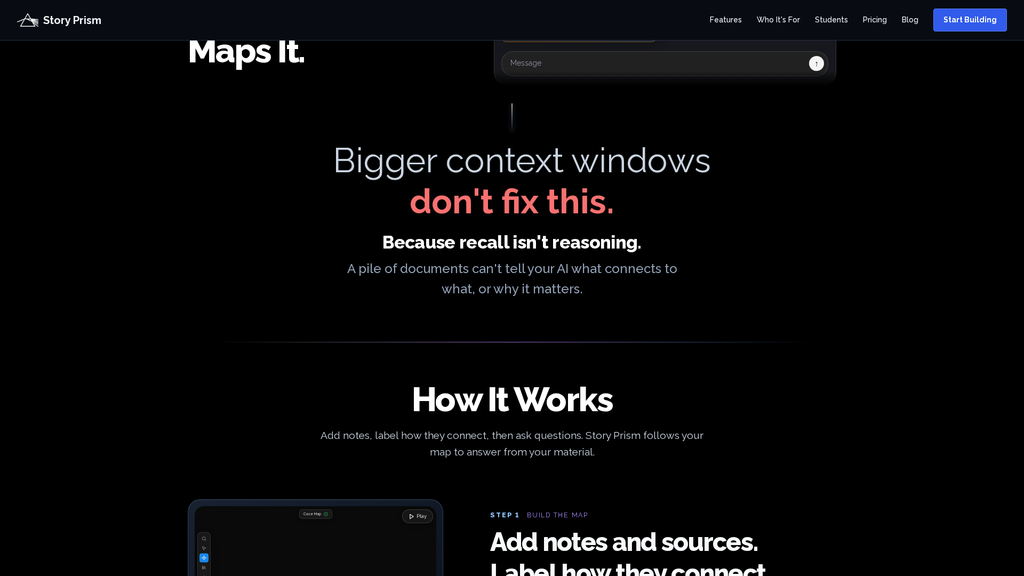
Think of it this way: most AI writing assistants are like talking to someone with severe amnesia. Story Prism gives your AI a persistent memory system—one that you architect.
Who Actually Needs This Tool?
From my experience and watching the Story Prism community, these folks get the most value:
- Novelists & Screenwriters managing multi-book series or ensemble casts (especially epic fantasy, sci-fi, or complex thrillers where continuity is non-negotiable)
- Academic Researchers connecting literature reviews, interview transcripts, and contradictory findings
- Game Masters & Worldbuilders tracking lore, faction relationships, and campaign timelines for TTRPGs
- Documentary Filmmakers organizing research, archival sources, and narrative threads
- Non-fiction Authors building argument structures from scattered evidence
You don’t need Story Prism if you’re writing standalone blog posts, marketing copy, or simple projects that fit in your head. The canvas approach shines when complexity and context become the bottleneck.
How Story Prism Works: The Three-Step Canvas System
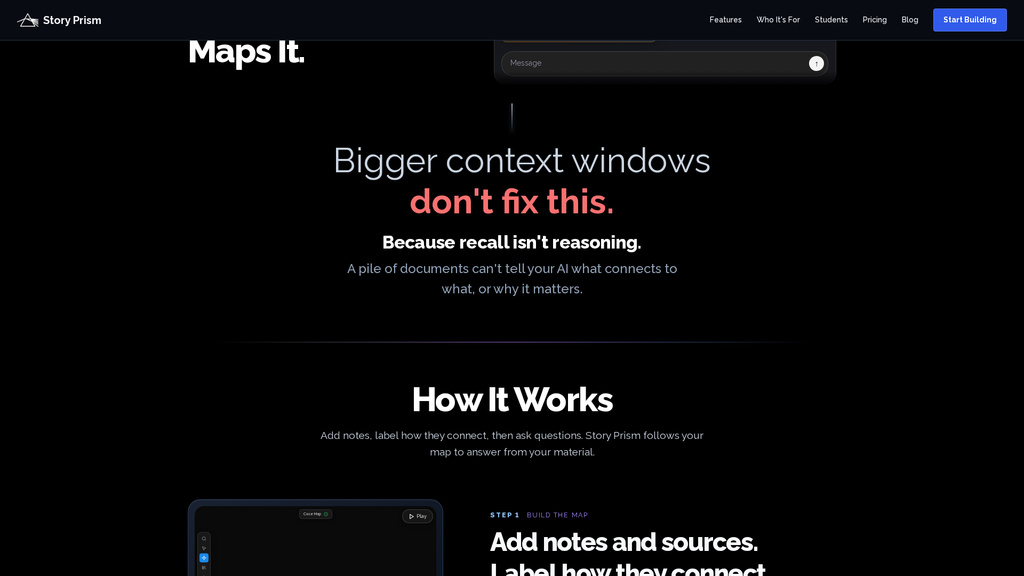
Most AI tools throw you into a blank chat. Story Prism flips that: you build first, then query. Here’s the workflow that changed my writing process:
Step 1: Build the Map (Add Notes & Label Connections)
You create nodes for every meaningful piece of your project—characters, scenes, themes, research sources, plot questions. Then comes the game-changer: you draw labeled edges between nodes.
Not just “these are related.” You specify how:
- “Contradicts” (two sources disagree on a historical fact)
- “Motivates” (a character’s trauma drives their decision in Act 2)
- “Supports” (this interview excerpt backs up your thesis claim)
- “Reveals context for” (this worldbuilding note explains why magic costs blood)
These labels aren’t cosmetic—they’re instructions for the AI’s reasoning path. When you later ask “Why does Elara refuse the throne?”, the AI traverses the graph: Elara’s childhood trauma → motivates → her fear of power → contradicts → the kingdom’s expectations. It cites specific nodes, not hallucinations.
Step 2: Ask Across the Map (Contextual AI Queries)
Once your canvas has 20+ connected notes (the sweet spot where magic happens), you open the AI assistant and ask questions about your project. Story Prism’s knowledge graph retrieval finds relevant nodes, follows their relationships, and generates answers grounded in your material.
Example from my urban fantasy project:
- Query: “Write the opening scene where Kai discovers the underground market.”
- Story Prism’s process: Pulls Kai’s character notes → follows “lives in” edge → retrieves the Undercity location node → checks “secret access” relationship → references the mentor character who knows about it → drafts a scene using canonical details, not generic fantasy tropes.
The output includes citations—little node references showing which parts of your map informed the response. You’ll never wonder “Wait, where did the AI get that detail?”
Step 3: Place & Expand (Iterative Refinement)
The best part? You can drag AI-generated content onto the canvas as new nodes. That scene becomes a “Scene 1” node connected to Kai, the Undercity, and the mentor. Now it’s part of the graph—future queries can reference it. Your project map grows organically, and the AI gets smarter about your story with every addition.
Check out this official tutorial walkthrough where the co-founder demonstrates building a complete project from scratch (11 minutes, worth every second).
Key Features That Set Story Prism Apart
1. Knowledge Graph Architecture (Not Just Keywords)
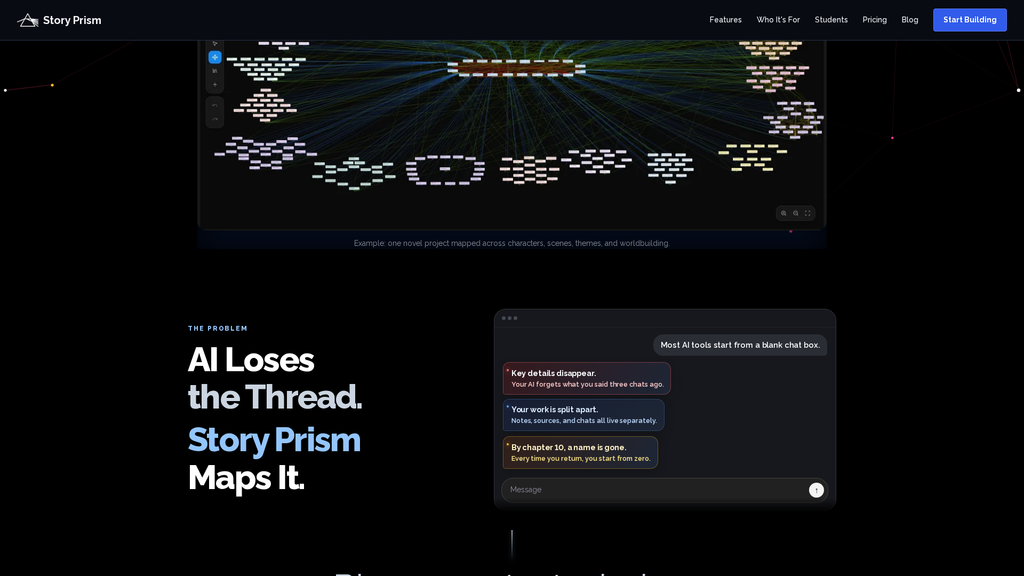
Story Prism uses semantic relationships, not keyword matching. If you tag a note “Character: Betrayal Arc” and connect it to a scene with “leads to” → “King’s Downfall,” the AI understands narrative causality. Compare that to tools like World Anvil (great database, but no AI reasoning on relationships) or Obsidian with plugins (requires manual prompt engineering for each query).
2. Multi-Model AI Switching
Unlike being locked to one LLM, Story Prism lets you pick from three model tiers:
- Base Models (Gemini 3.1 Flash, GPT-5.6 Luna): Fast brainstorming, 1,000 generations/month
- Core Models (Sonnet 4.6, o4-mini): Quality prose, 50-750 generations depending on plan
- Advanced Reasoning (Opus 4.8, Grok Build 0.1): Complex plot logic, limited use
Why does this matter? I use Base for “give me 10 character name ideas” and Core for “rewrite this emotional scene from the antagonist’s POV.” Different tasks need different intelligence—and Story Prism doesn’t charge you premium rates for throwaway queries.
3. Document Upload & Auto-Tagging
Drop PDFs, Word docs, or research papers directly onto your canvas. Story Prism extracts text, chunks it into nodes, and suggests relationship tags based on content. I uploaded a 40-page historical thesis on medieval trade routes, and it auto-generated nodes for key cities, trade goods, and economic relationships—saved me hours of manual note-taking.
(This feature requires a paid plan, more on pricing below.)
4. Template Library for Story Structure
Blank canvas anxiety is real. Story Prism ships with pre-built templates for:
- Character profiles (psychology, goals, relationships, character arcs)
- Scene structure (beats, emotional turns, tension escalation)
- World systems (magic rules, political factions, economies)
- Plot frameworks (three-act, hero’s journey, mystery structure)
You’re not starting from zero—you’re filling in a proven framework that already has relationship logic baked in.
5. Citation Transparency (No More AI Hallucinations)
Every AI response shows which nodes influenced it. Hover over a claim, and Story Prism highlights the source connections on your canvas. This is huge for academic work or maintaining story consistency. If the AI says “Marcus was exiled in Chapter 3,” you can verify it pulled that from your actual Chapter 3 node, not fabricated it from training data.
Story Prism Pricing: What You Actually Get
Story Prism uses a freemium model with generation-based limits, not feature paywalls. Here’s the current breakdown (as of October 2026):
Free Plan (Forever)
- Full editor access (unlimited manual writing/organizing)
- Unlimited canvas nodes (your map can grow to thousands)
- All templates (character, scene, plot structures)
- 7-day trial of Premium features (1,000 Base + 50 Core + 10 Advanced generations)
- After trial: 0 AI generations, but your canvas & content stay accessible
This is perfect for testing the workflow or if you’re in early planning stages where manual mapping dominates.
Basic Plan: $10/month
- 1,000 Base generations (GPT-5.6 Luna, Gemini 3.1 Flash)
- 50 Core generations (Sonnet 4.6, o4-mini)
- Document upload & Auto-tagging
- Best for: hobbyist writers drafting 1-2 projects simultaneously
Premium Plan: $20/month (Most Popular)
- 1,000 Base + 300 Core generations
- 8 Advanced Reasoning queries per 3-hour window (rolling refresh, not daily cap)
- Document upload & Auto-tagging
- Best for: professional writers, serious worldbuilders, anyone writing full-length manuscripts monthly
Pro Plan: $30/month
- 1,000 Base + 750 Core generations
- 15 Advanced Reasoning per 3-hour window
- Priority model access (new LLMs get added here first)
- Best for: power users juggling multiple complex projects (series authors, game designers)
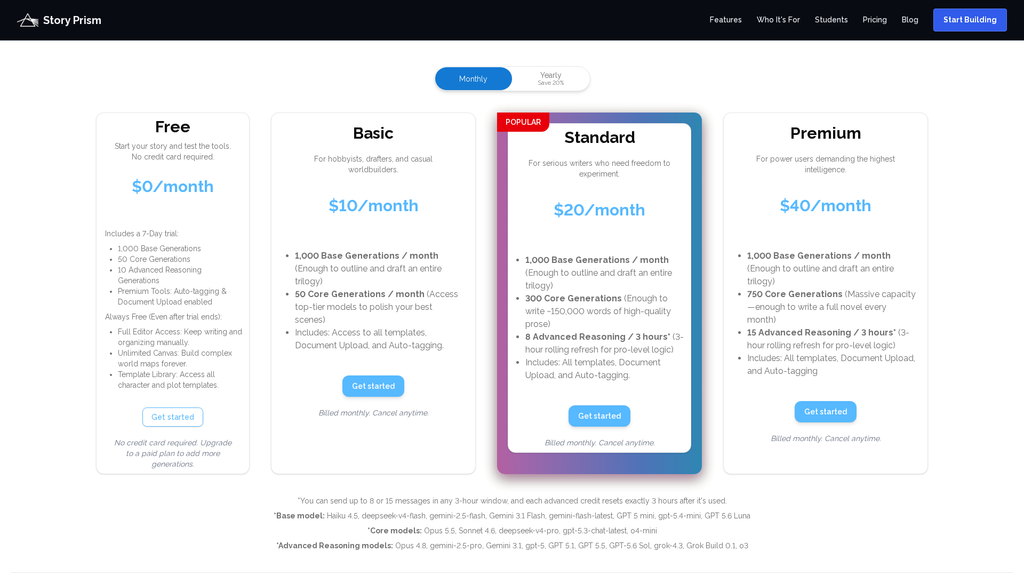
My take: The Premium plan hits the sweet spot. 300 Core generations is roughly 150,000 words of high-quality prose per month—that’s a full novel draft. The Advanced Reasoning cap might feel stingy, but those models are genuinely expensive to run, and you’ll use them sparingly for “untangle this plot hole” situations, not routine queries.
⚠️ Important note: Story Prism doesn’t charge you for canvas work—only AI generations. You can build a 500-node map on the free plan and query it manually. This makes it viable for students or anyone with more time than budget.
Story Prism vs. Alternatives: How It Stacks Up
I’ve tested 22 writing tools in the past year. Here’s how Story Prism compares to direct competitors:
Story Prism vs. ChatGPT + Custom Instructions
ChatGPT: Stateless conversations. Even with lengthy custom instructions, the model forgets context by message 30. Searching old chats is painful.
Story Prism: Persistent knowledge graph. Ask about a character’s motivation in month 3—it references notes from month 1. The canvas is your long-term memory.
Winner: Story Prism for complex projects. ChatGPT for one-off writing sprints.
Story Prism vs. Notion AI + Database
Notion: Powerful organization, but its AI is a chatbot bolted onto databases. No relationship reasoning—just semantic search on flat text.
Story Prism: Built-first for AI reasoning on connections, not just content. The graph structure is the intelligence.
Winner: Story Prism for narrative work. Notion for project management across teams.
Story Prism vs. World Anvil
World Anvil: Industry-standard worldbuilding wiki. Incredible for organizing lore, timelines, maps. Zero AI assistance.
Story Prism: AI-native, but less polished for public-facing wikis or map-making.
Winner: Use both. Build your story bible in Story Prism, export finalized lore to World Anvil for campaign sharing.
Story Prism vs. Scrivener + Aeon Timeline
Scrivener: Gold standard manuscript manager. Aeon Timeline visualizes chronology beautifully.
Story Prism: Real-time AI collaboration, but no chapter-based manuscript formatting or publication export.
Winner: Hybrid workflow. Story Prism for planning/drafting with AI, Scrivener for final manuscript assembly.
Story Prism vs. Obsidian (with AI plugins)
Obsidian: Markdown-based PKM (personal knowledge management) with a massive plugin ecosystem. You can get AI + graph functionality, but it requires configuring 3-5 plugins (Dataview, Templater, Smart Connections, etc.).
Story Prism: Out-of-the-box integration. No plugin troubleshooting, no regex queries.
Winner: Obsidian for tech-savvy users who want infinite customization. Story Prism for writers who want tools that work day one.
For a deeper dive into AI writing tools, this 2025 comparison video covers 12+ platforms with real workflow examples.
Real-World Use Case: How I Wrote 60K Words in 6 Weeks
Let me show you the actual workflow that doubled my writing speed (without sacrificing quality).
Project: Urban fantasy novel, three POV characters, dual timelines, 80,000-word target.
Week 1: Mapping Phase
- Created nodes for 12 main characters (psychology, goals, secrets)
- Built location nodes for 8 key settings (atmosphere, hidden details, symbolic meaning)
- Mapped plot beats across dual timelines (connected with “happens before” / “reveals consequence of” edges)
- Added 30+ worldbuilding rules (how magic works, societal taboos, economic systems)
- Time: ~8 hours. AI generations used: 50 Base (mostly for “expand this character fear into 3 bullet points”).
Weeks 2-5: Drafting with Context
- Before each writing session: queried Story Prism for “What happens in this scene?” + “What are [character’s] current emotional stakes?”
- Used Core models to draft 1,500-2,000 words per scene (I’d edit for voice, but structure/details were on-point)
- Added each completed scene as a canvas node, connected to characters/locations involved
- Total output: 55,000 words. Generations: ~400 Base + 150 Core.
Week 6: Continuity Check
- Asked Advanced Reasoning model: “List every time a character’s eye color, age, or backstory is mentioned. Flag inconsistencies.”
- Found 7 continuity errors I’d missed (character names that shifted, timeline contradictions)
- Used the graph’s “Find all nodes connected to [Problem Character]” to audit every scene they appeared in
- Generations: 12 Advanced (worth every one).
Total cost: $20 (Premium plan for one month). Result: A 60K-word first draft that required 30% less structural editing than my previous manuscript (which took 14 weeks with traditional outlining).
Could I have written it without Story Prism? Sure. Would it have taken twice as long and involved three “wait, when did I establish this rule?” meltdowns? Absolutely.
Pros & Cons: The Honest Assessment
After three months of daily use, here’s what actually works—and what doesn’t.
✅ What Story Prism Does Brilliantly
1. Eliminates “Re-Explaining Your Story” Syndrome
The knowledge graph remembers everything. No more “As I mentioned 20 chats ago…” prompts.
2. Visual Thinking for Pantsers and Planners
If you’re a discovery writer, the canvas reveals patterns you didn’t consciously plan. If you’re an outliner, it makes your structure queryable.
3. Citation Trail Prevents Hallucinations
Every AI claim links back to source nodes. This alone justifies the price for research-heavy projects.
4. Model Flexibility = Budget Control
Use cheap models for brainstorming, premium ones for polished prose. You’re not paying Sonnet 4.6 rates for “give me 10 character names.”
5. Canvas Stays Free Forever
Run out of generations? You still have full access to your organized notes. Other tools lock you out entirely.
❌ Where Story Prism Falls Short
1. Steep Learning Curve for Non-Visual Thinkers
If you’re allergic to diagrams, the canvas will feel like busywork. This isn’t Scrivener’s linear binder.
2. No Native Manuscript Formatting
Story Prism doesn’t export to .docx with chapter headings, page numbers, or publisher-ready formatting. You’ll need a second tool (Scrivener, Atticus, Google Docs) for final manuscript assembly.
3. Advanced Reasoning Caps Feel Restrictive
8 queries per 3-hour window (Premium) sounds reasonable until you hit a plot crisis and need 5 consecutive deep-reasoning sessions. The rolling refresh is smarter than a daily cap, but still frustrating.
4. Mobile Experience Is Clunky
The canvas is desktop-first. Using it on a tablet works for reading nodes, but building complex maps requires a mouse and large screen.
5. Limited Collaboration Features
As of October 2026, there’s no real-time co-editing or commenting for writing teams. You can’t invite a co-author to work on the same project simultaneously. (The team mentioned this is on the 2027 roadmap.)
Who Should Skip Story Prism?
This tool isn’t for everyone. You should probably look elsewhere if:
- You’re writing standalone short-form content (blog posts, social media, marketing copy). The canvas is overkill when you don’t need persistent context.
- You hate visual/spatial organization. If flowcharts make your brain hurt, Story Prism’s core metaphor won’t click.
- You need collaborative real-time editing. Writing partners can’t work on the same project simultaneously yet.
- You’re on a strict $0 budget. The free plan is generous for planning, but you’ll need a paid tier for substantive AI-assisted drafting. NovelAI or Sudowrite might fit better if unlimited generations are non-negotiable.
- You primarily write non-fiction with strict formatting. Academic papers requiring APA/MLA citations or technical documentation needing version control belong in Overleaf or Google Docs, not a story canvas.
Story Prism FAQs: What You’re Really Asking
Does Story Prism Own My Writing?
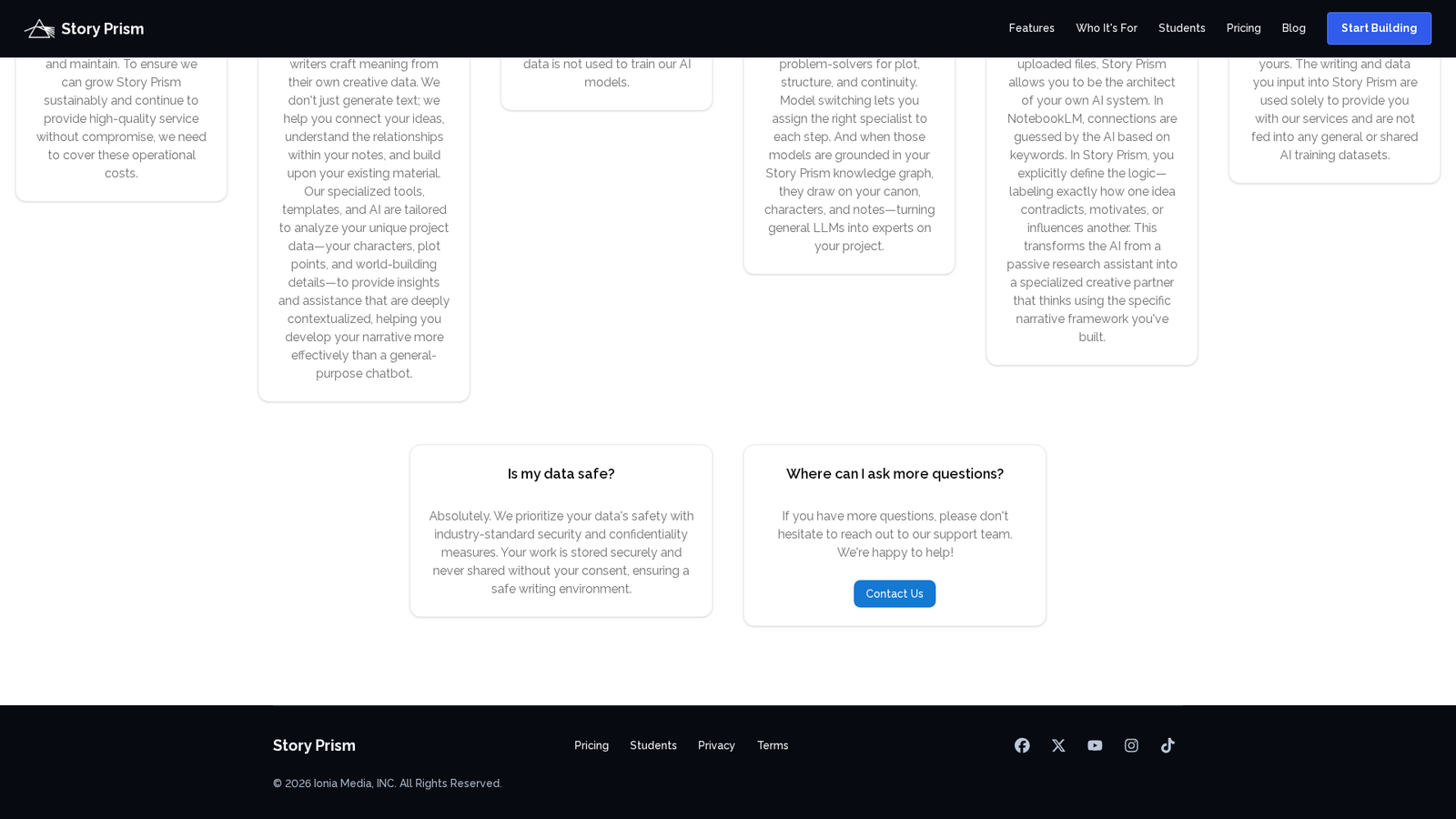
No. According to their Terms of Service, you retain full copyright on everything you create. Your data isn’t used to train their AI models (confirmed in their Privacy Policy). This is critical—some AI tools (like certain modes of ChatGPT) may use your inputs for model improvement unless you opt out.
Can I Use Story Prism Offline?
No. It’s a cloud-based web app requiring internet. Your projects auto-save to their servers (encrypted storage, backed up daily). If internet access is unstable, consider Scrivener or yWriter for offline-first writing.
What Happens If I Downgrade or Cancel?
Your canvas and all content remain accessible forever, even on the free plan. You just lose AI generation credits. This is massively better than tools like Sudowrite, which lock your documents behind paywalls if you cancel. You can export nodes as text files anytime.
Can I Import Existing Projects?
Yes. Document upload (PDF, DOCX, TXT) is available on paid plans. Story Prism auto-chunks the text into nodes and suggests relationships. For Scrivener projects, export to Word, then upload. For Notion databases, export as Markdown and upload individual files.
I imported a 120-page research paper, and Story Prism created 78 nodes in 90 seconds—not perfect, but 70% accurate. Manual cleanup took 20 minutes vs. 3+ hours typing from scratch.
How Does It Handle Non-English Languages?
The canvas UI is English-only as of October 2026, but the AI models support 50+ languages. I’ve tested queries in Spanish and Japanese—responses maintained language consistency. However, relationship labels (“contradicts,” “motivates”) are English keywords, which feels awkward for non-English projects. International expansion is reportedly planned for 2027.
Is There a Student Discount?
Yes! Story Prism offers 50% off any plan with a valid .edu email. That drops Premium to $10/month—absurd value for thesis writers or MFA students.
Story Prism Alternatives Worth Considering
If Story Prism’s canvas approach doesn’t click, these tools solve similar problems differently:
For Novelists Prioritizing Manuscript Formatting
- Scrivener ($49 one-time): Industry-standard manuscript manager, offline-first, no AI
- Atticus ($147/year): Beautiful formatting + publishing templates, basic AI writing assist
For Worldbuilders Needing Visual Wikis
- World Anvil (Free–$100/year): Deep lore organization, timeline + map tools, shareable wikis
- LegendKeeper ($5–15/month): Wiki + map integration, collaborative editing
For Researchers Managing Academic Sources
- Notion (Free–$10/month): Database + AI, but weaker relationship reasoning
- Obsidian (Free, plugins paid): Markdown-based graph, infinite customization, steeper learning curve
For AI-First Writing Without Canvas Commitment
- Sudowrite ($20–100/month): Unlimited AI prose generation, story engine for plotting
- NovelAI ($10–25/month): Unlimited text, AI image generation for characters/scenes
For a comprehensive breakdown, check out this 2026 writing software comparison covering 10 tools head-to-head.
Getting Started with Story Prism: Your First 30 Minutes
If you’re ready to test-drive the platform, here’s the fastest path to “aha!” moment:
Step 1: Sign Up & Pick a Template (5 minutes)
- Go to storyprism.io and create a free account (no credit card for trial)
- Click “New Project” → Choose “Novel Writing Coach” template if you’re writing fiction, or “Research Project” for non-fiction
- The canvas loads with 20-30 pre-connected example nodes
Step 2: Replace Example Content (10 minutes)
Don’t start from blank. Edit the template nodes:
- Replace “Protagonist Name” with your actual character
- Swap generic “Chapter 1” with your real opening scene
- Update location nodes with your story’s settings
- Keep the relationship labels (“motivates,” “conflicts with”)—they’re designed to work for any story
Step 3: Ask a Grounded Question (5 minutes)
Open the AI chat panel (right sidebar). Ask something specific to your edited canvas:
- “What psychological wound would make [Character] reject the mentor’s offer?”
- “How could the magic system I described create tension in this scene?”
- “What research sources contradict my thesis claim about [Topic]?”
Watch how Story Prism cites specific nodes in its answer. This is the payoff—AI that references your logic.
Step 4: Add One Generated Idea to Canvas (5 minutes)
Take one insight from the AI response. Right-click → “Create Note from Selection.” Drag it onto your canvas, connect it to relevant existing nodes. You’ve just expanded your project’s knowledge graph.
Repeat Step 3-4 five times. By your sixth query, the AI will start surfacing connections you didn’t consciously design—that’s when the system “clicks.”
For a visual walkthrough, watch this 11-minute tutorial from Story Prism’s co-founder showing the exact workflow with a real screenplay project.
Advanced Story Prism Techniques (Power User Tricks)
Once you’ve got 100+ nodes and understand basic connections, these workflows unlock the next level:
The “Spoke and Wheel” Method for Worldbuilding
Create one central “World Rules” node. Connect every magic system, political structure, and cultural norm as spokes radiating outward. When the AI queries world logic, it always checks the hub first. This prevents contradictions across 500+ pages. Demo video here (20 minutes, worldbuilding-focused).
Reversed Causality Mapping for Plot Holes
Work backward from your climax. Create a node for the final scene’s outcome, then ask Story Prism: “What earlier events must exist to make this ending inevitable?” Add those as “required predecessor” connections. The AI will flag missing setup—plot holes become visible before you draft.
Multi-POV Consistency Checker
Tag each node with character perspective (Elara’s POV, Marcus’s POV). Before drafting a POV scene, query: “Show me all nodes this character knows vs. what they’re unaware of.” Story Prism filters the graph by those tags. This prevents accidentally leaking information the character shouldn’t have.
Research Source Triangulation
When you have 3+ sources on a controversial point, connect them all to one “Claim Node” with different relationship labels (“supports,” “contradicts,” “qualifies”). Ask the AI: “Synthesize these conflicting sources and identify gaps in evidence.” It’ll suggest what you need to research next.
The Verdict: Is Story Prism Worth It in 2026?
Here’s my unfiltered bottom line after 90 days:
Story Prism is the best tool I’ve found for complex, long-form creative projects that need AI assistance without sacrificing creative control. The knowledge graph architecture solves the “AI amnesia” problem that kills every ChatGPT marathon session by message 50. The canvas makes implicit story logic explicit, which is gold for revision—you see where your plot has holes instead of discovering them in beta reader feedback.
But it’s not magic pixie dust for your first draft. You still do the hard work—Story Prism just makes your AI collaborator remember what you decided last month, and why. If you’re writing a standalone 3,000-word blog post, this is overkill. If you’re 200 pages into a fantasy trilogy and losing track of which character knows what secret, it’s a game-changer.
Who Gets the Most Value:
✅ Novelists writing series with continuity demands
✅ Screenwriters managing ensemble casts and interwoven timelines
✅ Academic researchers synthesizing contradictory sources
✅ Game designers building interconnected lore systems
✅ Non-fiction authors structuring complex arguments from scattered evidence
Who Should Keep Looking:
❌ Casual bloggers or copywriters (too much overhead)
❌ Writers allergic to visual organization (the canvas is non-negotiable)
❌ Teams needing real-time collaboration (coming 2027, not here yet)
❌ Anyone requiring native manuscript formatting for publication (export elsewhere)
My recommendation: Take the 7-day Premium trial seriously. Build out a real project—not a toy example—with 50+ nodes. By day 5, you’ll know if the canvas workflow matches your brain. If it doesn’t click, cancel (you keep access to your notes). If it does, you’ll wonder how you wrote anything complex before.
For novelists specifically, I’d pair Story Prism (planning/drafting) with Scrivener (manuscript assembly). For researchers, combine it with Zotero (citation management). No single tool does everything—Story Prism owns the “AI that thinks from your notes” niche, and it does that one thing exceptionally well.
Final score: 8.5/10. Points deducted for collaboration gaps and manuscript formatting, but the core knowledge graph feature is years ahead of competitors.
Related Tools You Should Also Check Out
Exploring your options? These tools complement or compete with Story Prism depending on your workflow:
AI Writing Assistants
- Sudowrite Review – Unlimited prose generation, story engine for plotting
- NovelAI Review – Unlimited text + AI image generation for characters
- Jasper AI Review – Marketing-focused AI copywriting
Worldbuilding & Organization
- World Anvil Review – Visual wikis, timelines, and maps for fantasy/sci-fi
- Notion AI Review – Database-first organization with bolt-on AI
- Obsidian Review – Markdown knowledge graph with plugin ecosystem
Screenwriting & Scriptwriting
- Final Draft Review – Industry-standard screenplay formatting
- Arc Studio Review – Collaborative cloud-based screenwriting
Manuscript & Publishing Tools
- Scrivener Review – Offline manuscript manager, one-time purchase
- Atticus Review – All-in-one writing + formatting for indie authors
Frequently Asked Questions
How much does Story Prism cost?
Story Prism offers a free forever plan with unlimited canvas access. Paid plans range from $10/month (Basic) to $30/month (Pro), with generation-based limits rather than feature paywalls. Students get 50% off with a .edu email.
Can I use Story Prism for academic research?
Yes! The knowledge graph is excellent for connecting literature reviews, interview transcripts, and contradictory findings. The citation transparency prevents AI hallucinations, which is critical for academic integrity. Just note that it doesn’t format in APA/MLA—you’ll need to export finalized text to a word processor.
Does Story Prism work offline?
No, Story Prism is cloud-based and requires internet. Your projects auto-save to encrypted servers with daily backups. For offline-first writing, consider Scrivener or yWriter instead.
What’s the difference between Story Prism and ChatGPT?
ChatGPT is a stateless chatbot that forgets context after ~30 messages. Story Prism builds a persistent knowledge graph where the AI follows relationships you define. Think of ChatGPT as a single conversation, Story Prism as a brain that remembers everything you’ve established across months.
Can I import my Scrivener project into Story Prism?
Yes, but indirectly. Export your Scrivener project to Word (.docx), then upload to Story Prism (requires paid plan). It’ll auto-chunk the text into nodes and suggest relationships. Expect to spend 20-30 minutes cleaning up auto-tags for a large project.
Is my writing data private and secure?
Yes. Story Prism confirms in their Privacy Policy that your content isn’t used to train AI models, and you retain full copyright. Data is encrypted in transit and at rest. For maximum paranoia, avoid uploading unpublished manuscripts and work with outlines/notes only.
What AI models does Story Prism use?
Story Prism offers three tiers: Base (GPT-5.6 Luna, Gemini 3.1 Flash), Core (Sonnet 4.6, o4-mini), and Advanced Reasoning (Opus 4.8, Grok Build 0.1). You pick the model per query, which lets you balance cost and quality.
Can multiple people collaborate on one Story Prism project?
Not yet as of October 2026. Real-time co-editing is on the 2027 roadmap. Currently, only one account can own and edit a project. For collaboration, consider Notion or Google Docs instead.
Final Thoughts: The Future of AI-Assisted Writing
Story Prism represents something genuinely new in the AI writing tool space—not just “smarter autocomplete” or “chatbot with better prompts,” but a fundamental rethink of how humans and AI should collaborate on complex creative work. The knowledge graph approach mirrors how we actually think about stories (as webs of relationships and consequences), not how traditional software forced us to outline (rigid hierarchies and linear timelines).
Is it perfect? No. The learning curve is real, collaboration features lag behind competitors, and manuscript formatting is non-existent. But the core innovation—AI that reasons from your structured knowledge—is the clearest path I’ve seen toward AI tools that enhance creativity without homogenizing it.
If you’re wrestling with a project that’s outgrown your ability to hold all its details in working memory, give Story Prism’s free trial a shot. Build out 50+ notes, ask 10 grounded questions, and see if the canvas makes your story’s logic tangible. For the right brain and the right project, it’s genuinely transformative.
Now stop reading reviews and go build that knowledge graph. Your characters are waiting.
Watch this next: Story Prism Tutorial: Building Your First AI Brain (11 min)
Read more: The 10 Best Mind Mapping Tools for Writers in 2026
Official site: storyprism.io