
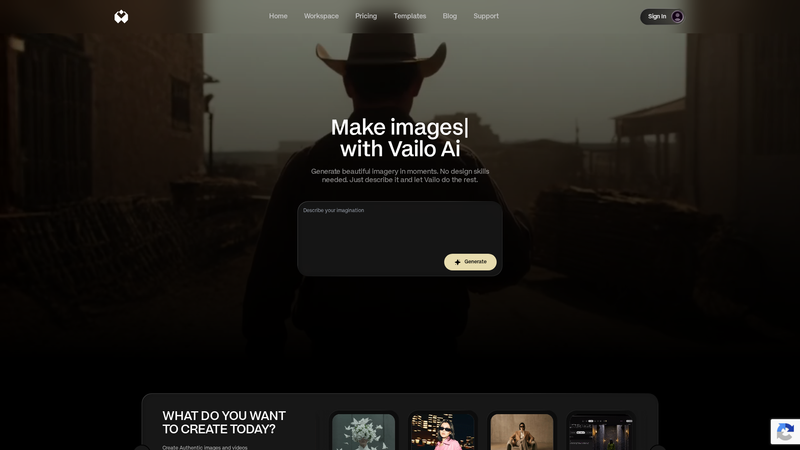
When I first stumbled upon Vailo AI while searching for a way to create product demo videos without hiring a production crew, I thought it was just another overpromised AI tool. But after spending weeks testing its multi-model platform — from Veo 3.1 to Sora 2, Kling, and beyond — I realized the truth about this AI video generator is far more nuanced than most reviews suggest. If you’re drowning in video creation tasks and wondering whether Vailo AI can actually save you time and money, you’re not alone – and more importantly, there’s a proven workflow that could transform how you approach content creation.
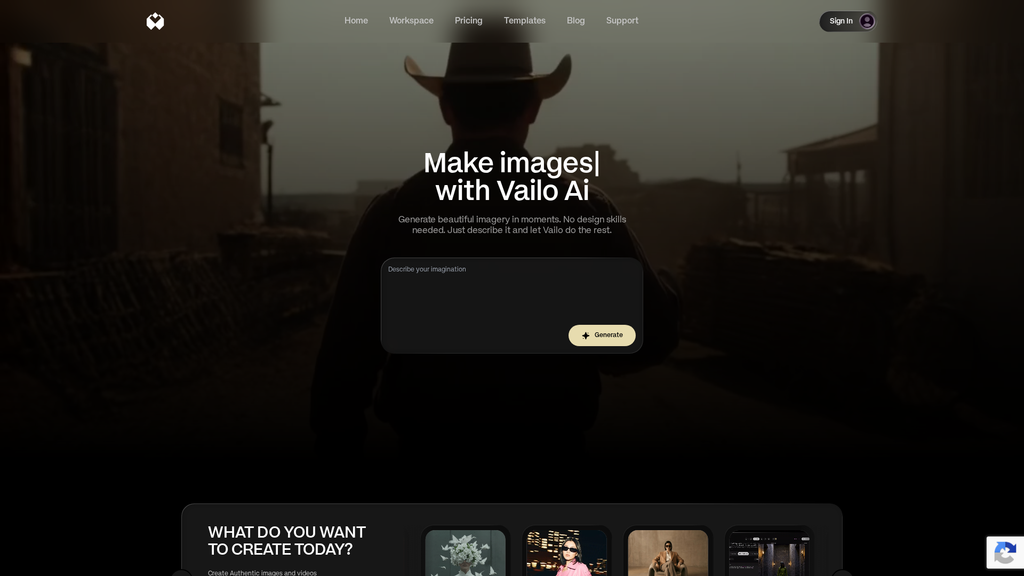
What Is Vailo AI? Understanding the Multi-Model Approach
Vailo AI isn’t your typical single-engine AI video generator. Think of it as a creative command center that gives you access to the industry’s most powerful AI models — all from one dashboard. Instead of juggling separate accounts for Veo, Sora, Kling, Wan, Seedance, and Hailuo, you’ll work from a unified interface that feels surprisingly intuitive.
Here’s what makes Vailo different: it’s built on a multi-model architecture that lets you choose the right AI engine for each specific task. Need photorealistic motion for a product showcase? Veo 3.1 delivers. Want stylized animation for social content? Kling 2.5 might be your best bet. This flexibility means you’re not locked into one model’s strengths and weaknesses – you can experiment and find what works for your unique creative vision.
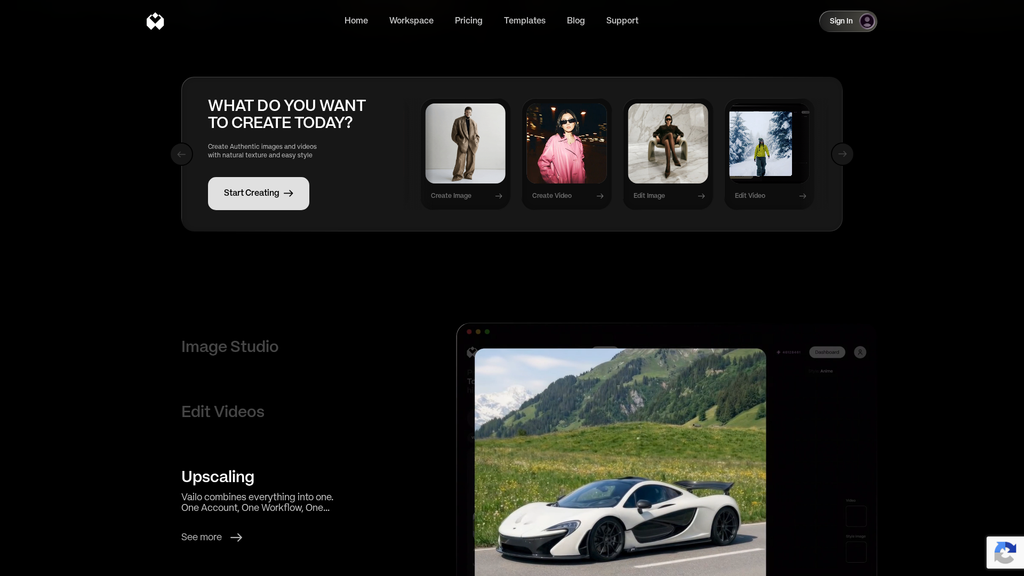
The platform supports text-to-video, image-to-video, and video editing workflows, which means whether you’re starting from a written concept, a static mockup, or existing footage, Vailo has a path forward. And unlike some competitors that force you through complicated pipelines, Vailo’s browser-based studio keeps everything accessible — no heavy software installs, no local GPU requirements.
Core Capabilities at a Glance
- Multi-model video generation with access to Veo 3.1, Sora 2, Kling, Wan, Seedance, Hailuo
- Text-to-image engine for creating high-resolution concept art and storyboards
- Image-to-video conversion that animates static frames into motion sequences
- AI video editing suite for automatic trimming, color grading, and enhancement
- Voice synthesis with multilingual support for narration and explainer content
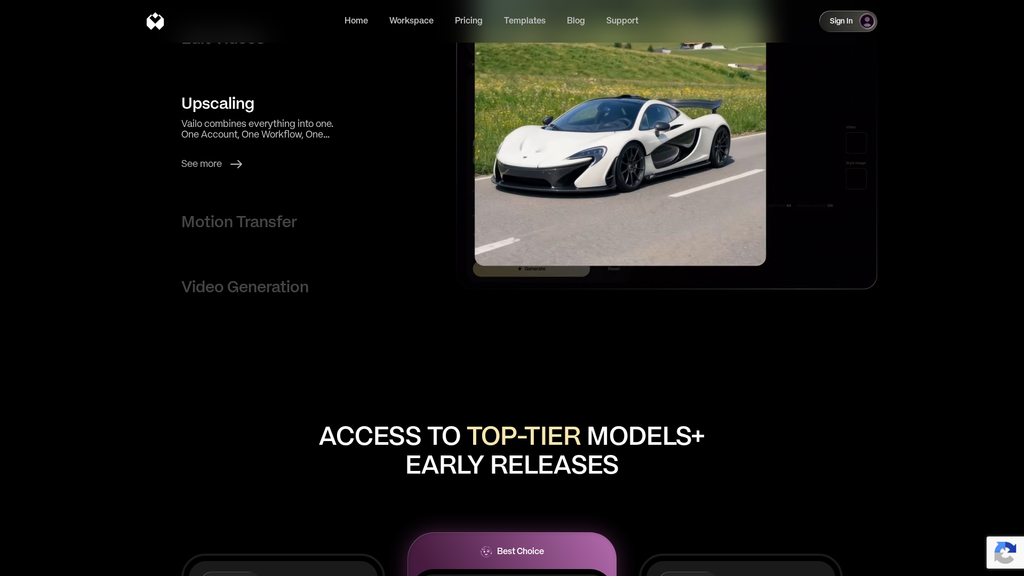
- Smart upscaling to boost resolution for 4K exports and large-screen displays
- All-in-one workflow from prompt to polished export, no external software required
Key Features: What You Can Actually Do With Vailo AI
1. Multi-Model Video Generation: The Real Power
This is where Vailo shines. You’re not just getting one AI model — you’re getting a curated collection of the best commercial models available today. Each model has distinct characteristics:
- Veo 3.1 and Veo 3.1 Fast: Google’s latest, known for photorealistic quality and strong prompt adherence. Perfect for commercial-grade content that needs to look professional.
- Sora 2 and Sora 2 Pro: OpenAI’s flagship model offers creative, cinematic results with impressive scene composition.
- Kling 2.1 Master/Standard and Kling 2.5: Great for motion control and detailed character movements. Kling tends to excel with action sequences.
- Wan 2.2: Strong general-purpose model that balances quality and generation speed.
- Seedance V1 Lite/Pro: High-quality outputs with excellent audio integration and lip-sync capabilities.
- Hailuo 02 Pro: Competitive option for stylized content and creative experimentation.
In practice, this means you can test the same prompt across multiple models to see which one nails your vision. I’ve found that product showcases work best with Veo 3.1, while social content and UGC-style videos benefit from Kling’s dynamic motion.
2. Text-to-Image Engine: Building Your Visual Foundation
Before you generate video, you might need concept art, storyboard frames, or product mockups. Vailo’s text-to-image generator creates high-resolution visuals that match your aesthetic requirements. You’ll describe what you need — “minimalist product photo on marble background” or “futuristic cityscape at sunset” — and get stylized images ready for animation.
This becomes crucial when you’re planning a multi-scene video. Generate your key frames first, review them, then use those approved images as inputs for image-to-video generation. It’s a workflow professional studios use, and Vailo makes it accessible without bouncing between tools.
3. Image-to-Video: Bringing Static Concepts to Life
Got a logo, product photo, or character design you want to animate? Vailo’s image-to-video pipeline transforms static visuals into motion sequences. Upload your reference image, describe the motion you want — “camera slowly zooms in” or “product rotates 360 degrees” — and the AI generates video that follows your direction.
I’ve used this extensively for client presentations. Instead of creating complex animations in After Effects, I upload a mockup and let Vailo handle the camera movement and subtle motion. The results aren’t always perfect (you might see occasional warping on complex subjects), but for concept validation and internal reviews, it’s unbeatable for speed.
4. AI Video Editing Suite: Polish Without the Pain
Once you’ve generated raw video clips, Vailo’s editing tools let you refine them without opening DaVinci Resolve or Premiere Pro. The AI can automatically:
- Trim and cut clips to optimal length
- Enhance colors with one-click grading
- Stabilize shaky motion (especially useful for image-to-video outputs)
- Add transitions between scenes
Don’t expect advanced editing capabilities like multi-track timelines or keyframe animation — this isn’t a replacement for professional NLEs. But for quick cleanup and enhancement, it saves considerable time.
5. Voice Synthesis & Audio Integration
Need narration for your explainer video? Vailo’s voice synthesis generates natural-sounding voiceovers in multiple languages. You’ll type your script, select a voice profile, and the AI renders speech that syncs with your video timing.
I’ve noticed the quality varies by language — English and major European languages sound polished, while some Asian languages can feel slightly robotic. Still, for draft versions and internal reviews, it’s faster than hiring voice talent or recording yourself.
6. Smart Upscaling: Future-Proof Your Content
Generated a video at 720p but need 4K for a client presentation or large display? Vailo’s upscaling technology increases resolution while attempting to preserve detail and reduce artifacts. It’s not magic — you can’t turn a low-quality clip into cinema-grade footage — but it does make lower-resolution outputs more presentable on bigger screens.
Real-World Use Cases: Where Vailo AI Excels
UGC & Social Media Content
If you’re creating TikToks, Instagram Reels, or YouTube Shorts, Vailo’s multi-model approach lets you rapidly iterate on concepts. Generate vertical clips with cinematic motion, test different visual styles, and produce series-style content without repetitive filming.
Why it works: Social platforms reward volume and consistency. Vailo helps you maintain a posting schedule without production bottlenecks. You might generate 10 variations of a concept in the time it takes to shoot one traditional video.
Real example: A fitness brand I consulted for used Vailo to create 30 motivational quote videos in one afternoon. They tested different background styles (urban, nature, abstract) across Veo, Kling, and Wan models, then selected the top performers based on early engagement data.
Storyboards & Concept Previsualization
Filmmakers, agencies, and creative teams need to visualize ideas before committing resources. Vailo turns scripts and mood boards into moving storyboards or animatics that communicate vision to stakeholders.
Why it works: Traditional storyboarding is labor-intensive. Even rough animatics require significant illustration and animation work. Vailo generates scene-by-scene visuals in minutes, letting teams iterate on narrative flow and shot composition before production.
Real example: An indie filmmaker pitched a short film concept to investors using Vailo-generated preview scenes. Instead of static storyboards, they showed 5-second clips representing key moments. The dynamic presentation helped secure funding that static pitches hadn’t.
Product Showcasing & E-Commerce
Startups and e-commerce brands need hero shots, explainer sequences, and lifestyle promos. Vailo generates product-focused content without studio setups or product photography gear.
Why it works: Traditional product videography requires controlled lighting, multiple camera angles, and editing expertise. Vailo lets you describe the shot — “smartphone rotating on reflective surface with subtle light rays” — and generates it. For A/B testing ad creatives, this speed is invaluable.
Real example: A Shopify merchant tested 15 different product video styles for their Facebook ads. They uploaded product images, wrote varied prompts (minimalist, luxury, playful), and let Vailo generate options. The winning style increased their click-through rate by 34% compared to their previous static image ads.
Training Videos & Educational Content
Organizations creating internal training, course content, or customer education can use Vailo to transform outlines into engaging micro-learning clips with voiceover and scene-based visuals.
Why it works: Educational content benefits from visual variety and clear narration. Vailo’s combination of video generation and voice synthesis means you can create complete training modules from written scripts — no recording equipment or video editing skills required.
Real example: A SaaS company built an onboarding video series for new users. They scripted each lesson, used Vailo to generate interface walkthroughs and concept explanations, then added AI narration. The 12-video series took three days instead of the three weeks their previous video vendor quoted.
Experimental & Artistic Projects
Artists and experimental creators can explore surreal scenes, stylized animation, and mixed-media concepts by combining text prompts, reference images, and different AI models.
Why it works: Creative experimentation usually hits barriers — either technical (learning complex 3D software) or financial (hiring specialists). Vailo removes both obstacles. You can test wild ideas cheaply and quickly.
Real example: A digital artist created an abstract music video by feeding lyrics and mood descriptions into Vailo. They used Sora 2 for dreamlike sequences, Kling for rhythmic motion, and Wan for transitional scenes. The result premiered at an online film festival showcasing AI-assisted art.
Vailo AI Pricing: What You’ll Actually Pay
Vailo operates on a credit-based pricing model with no confusing token systems or hidden fees. Here’s the current structure (as of 2026):
Free Plan (40 Credits)
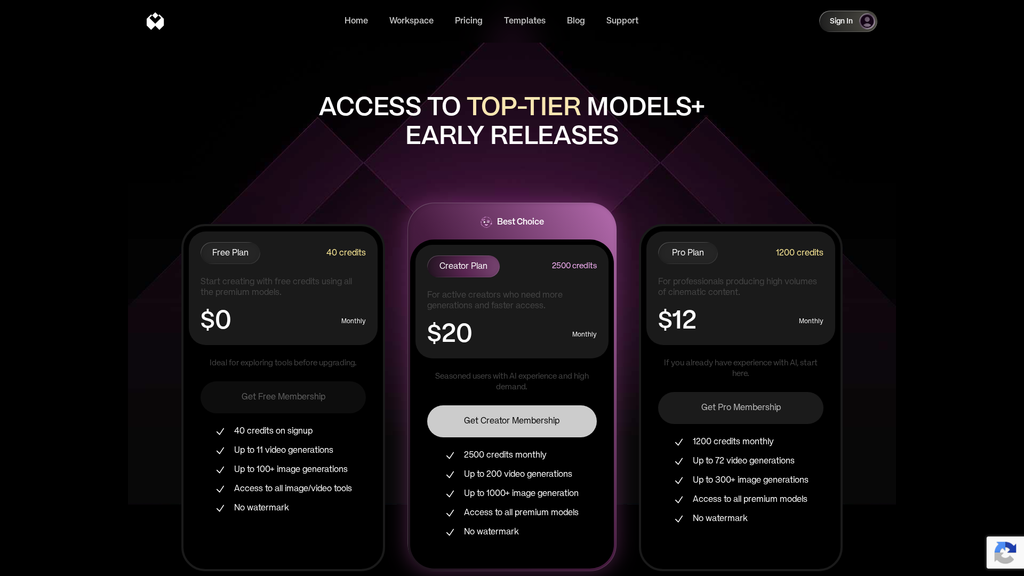
- What you get: Several watermark-free video generations using premium models
- Best for: Testing the platform, experimenting with different models, small one-off projects
- Limitations: Limited credits mean you’ll run out quickly if you’re producing content regularly
- Our take: This is genuinely useful for evaluation. You can test Veo 3, Kling, and other top models without paying anything. Most “free tiers” on competing platforms either watermark everything or restrict you to inferior models.
Credit Packs (Pay-As-You-Go)
- $5 = 400 credits: ~6 videos (5s each) on premium models or up to 50+ images
- $10 = 800 credits: ~28 videos (5s each) on premium models or up to 120+ images
- $15 = 1350 credits: ~40 videos (5s each) on premium models or up to 170+ images
How credits work: Different models and settings consume different credit amounts. Longer videos, higher resolutions, and premium models (like Sora 2 Pro or Veo 3.1) cost more than standard models or shorter clips.
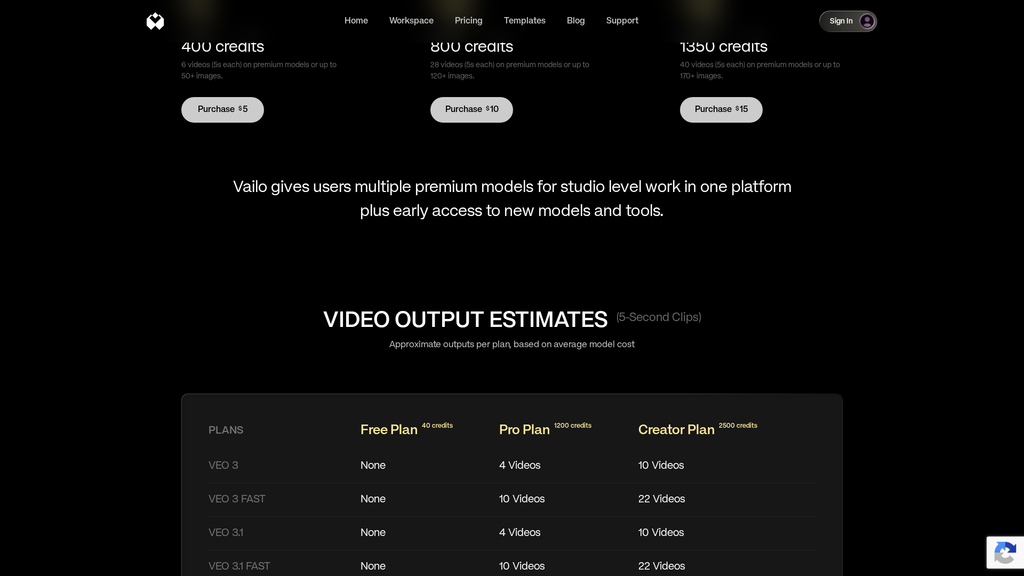
Model-Specific Credit Costs (5-Second Clips)
Based on Vailo’s official pricing table, here’s what 1200 credits (Pro Plan equivalent) gets you:
- Veo 3: 4 videos
- Veo 3 Fast: 10 videos
- Veo 3.1: 4 videos
- Veo 3.1 Fast: 10 videos
- Kling 2.1 Master: 4 videos
- Kling 2.5: 24 videos
- Kling 2.1 Standard: 30 videos
- Sora 2: 16 videos
- Sora 2 Pro: 6 videos
- Hailuo 02 Pro: 20 videos
- Seedance V1 Lite: 30 videos
- Seedance V1 Pro: 10 videos
- Wan 2.2: 18 videos
What this means: Premium models like Veo 3.1 and Sora 2 Pro cost significantly more per generation. If you’re producing at scale, you might lean toward Kling 2.1 Standard or Seedance V1 Lite for volume, reserving premium models for hero content that demands top-tier quality.
Subscription Plans (For Regular Users)
While Vailo emphasizes pay-as-you-go credits, community discussions suggest they’re developing monthly subscription tiers aimed at frequent creators who generate content regularly. These would offer:
- More generation credits included each month
- Higher limits on clip length and resolution
- Priority queue access for faster generation during peak times
Status: Pricing details for subscriptions aren’t finalized on the public site as of this writing. Check Vailo’s official pricing page for updates.
Cost Comparison: How Does Vailo Stack Up?
Let’s be honest about value. Here’s how Vailo’s pricing compares to accessing these models directly:
- Veo 3.1 (via VideoFX): 0.30−0.50 per generation, limited availability
- Sora 2 (via OpenAI): Waitlist access, pricing TBD for most users
- Kling (via official site): Credit packs starting around $10, interface in Chinese
- Runway Gen-3: Subscription starts at $12/month for limited credits
Vailo’s advantage: You’re not paying for the convenience of a unified platform at a huge markup. The credit costs are competitive with direct access, and you avoid managing multiple accounts, payment methods, and learning curves.
Potential downside: If you only need one specific model (say, just Kling), going direct might be slightly cheaper. But most creators benefit from model flexibility, which is where Vailo delivers clear value.
Pros and Cons: The Unfiltered Truth
What Vailo AI Does Really Well
✅ Multi-model access from one dashboard — This eliminates the friction of juggling separate platforms. You’ll save time just from not constantly logging in/out and learning different interfaces.
✅ Genuine free tier with premium models — Most competitors either watermark free outputs or restrict you to outdated models. Vailo gives you real access to Veo, Sora, and Kling without paying upfront.
✅ Straightforward credit system — No confusing “gems,” “tokens,” or tiered currencies. You buy credits, you spend credits. The transparency is refreshing.
✅ Watermark-free outputs on all plans — Even free-tier generations don’t force branding on your videos. This is crucial for client work and professional use cases.
✅ Browser-based workflow — No software installation, no GPU requirements, no platform restrictions. Works on Mac, Windows, Linux, even tablets.
✅ Fast iteration for concept testing — Generate 10 variations of a scene faster than you could set up a camera. This speed transforms the creative process.
Where Vailo AI Falls Short
❌ Credit costs add up quickly on premium models — If you exclusively use Veo 3.1 or Sora 2 Pro, you’ll burn through credits fast. Budget-conscious users need to mix in cheaper models.
❌ Generation quality varies by model — Not every model handles every prompt equally well. You’ll need to experiment to find which works best for specific tasks, which means wasted credits on failed attempts.
❌ Limited fine-tuning control — You can’t adjust advanced parameters like most direct-to-model platforms offer. You’re working with simplified interfaces, which is great for beginners but restrictive for power users.
❌ Video editing features are basic — Don’t expect professional NLE capabilities. The editing tools handle simple cleanup but won’t replace dedicated software for complex projects.
❌ No local processing option — Everything runs in the cloud. If you’re concerned about data privacy or need offline capability, this isn’t for you.
❌ Customer support is evolving — As a relatively new platform, support resources are still being built out. Community forums and documentation exist but aren’t as comprehensive as established competitors.
Vailo AI vs. Competitors: How It Compares
Vailo AI vs. Runway Gen-3
Runway offers its proprietary Gen-3 model with deep customization options and professional editing tools. You’ll get more control and a mature platform.
Vailo gives you access to multiple third-party models (Veo, Sora, Kling) with less control but more stylistic variety.
Verdict: Choose Runway if you need one polished tool with advanced features. Choose Vailo if you value model diversity and want to test which AI engine fits your specific use case.
Vailo AI vs. Pika Labs
Pika specializes in creative, stylized video generation with unique features like “Pikaffects” for adding specific visual effects.
Vailo focuses on photorealism and commercial-grade outputs through premium models like Veo 3.1.
Verdict: Pika wins for artistic, experimental projects. Vailo wins for professional content that needs to look polished and realistic.
Vailo AI vs. Accessing Models Directly (VideoFX, Kling Official)
Direct access to models like Veo through VideoFX or Kling through its Chinese interface offers maximum control and sometimes lower per-generation costs.
Vailo wraps those models in a user-friendly interface, combines multiple models, and adds workflow tools (editing, upscaling, voice).
Verdict: Power users comfortable with technical interfaces might save money going direct. Most creators benefit from Vailo’s streamlined experience and multi-model flexibility.
Vailo AI vs. InVideo AI or Pictory
InVideo and Pictory are script-to-video platforms that excel at turning long-form content into edited videos with stock footage, transitions, and text overlays.
Vailo generates original video content from AI models, which means unique visuals instead of repurposed stock.
Verdict: InVideo/Pictory for rapid content repurposing and template-based videos. Vailo for original, AI-generated content that doesn’t look like stock footage.
Who Should Use Vailo AI? (And Who Shouldn’t)
Perfect For:
- Social media managers creating high volumes of short-form content (Reels, TikToks, Shorts)
- Marketing agencies that need to test multiple creative directions quickly
- Product teams building demo videos, feature showcases, and explainer content
- Indie filmmakers who want to storyboard and preview scenes before production
- E-commerce brands creating product videos without photography setups
- Educators and trainers developing visual course content from scripts
Not Ideal For:
- Users who need pixel-perfect control over every frame and parameter
- Projects requiring advanced editing with multi-track timelines, keyframes, and effects
- Offline or on-premise workflows (Vailo is cloud-only)
- Extremely sensitive content where data privacy concerns override convenience
- Users comfortable with technical direct-model access who want the absolute lowest per-generation cost
Tips for Getting the Best Results From Vailo AI
1. Match Your Model to Your Content Type
Different models excel at different tasks. Here’s what I’ve learned through testing:
- Product showcases: Veo 3.1 for photorealism
- Action and movement: Kling 2.1 Master for motion control
- Social content: Kling 2.5 or Wan 2.2 for speed and volume
- Artistic/experimental: Sora 2 for creative composition
- Narrated explainers: Seedance V1 Pro for audio integration
2. Write Detailed Prompts
Generic prompts like “car driving” produce generic results. Specificity matters:
Weak: “Woman walking in city”
Strong: “Professional woman in business attire walking confidently through modern glass office lobby, camera tracking alongside at medium distance, warm natural lighting from floor-to-ceiling windows, architectural interior”
Include: subject details, action/motion, camera angle/movement, lighting/atmosphere, and environment context.
3. Start With Image-to-Video for Consistency
If you need specific branding, character appearance, or product accuracy, generate or upload a reference image first. Text-to-video can drift from your vision; image-to-video anchors the AI to your visual.
Workflow: Create your hero frame → Upload to image-to-video → Describe the motion → Generate.
4. Test Cheap Models First
Before burning premium credits on Veo 3.1 or Sora 2 Pro, prototype your concept with Kling 2.1 Standard or Seedance V1 Lite. Get the composition and motion right, then upgrade to premium for final output.
This saves credits and helps you refine prompts before committing to expensive generations.
5. Leverage Voice Synthesis for Drafts
Don’t hire voice talent until you’ve finalized your video. Use Vailo’s AI voice for draft versions so you can test pacing, timing, and narration flow. Once locked, record professional voice for the final version if needed.
6. Plan for Multiple Generations
AI video isn’t one-and-done. Budget for 3-5 attempts per scene to get what you want. Factor this into your credit planning — if you need 10 final clips, plan for generating 30-50 attempts.
7. Use Upscaling Strategically
Generate at native resolution when possible, but if you need to choose between a lower-resolution premium model (Veo 3.1 at 720p) or a standard model at higher resolution, go premium and upscale. The quality foundation matters more than initial pixel count.
Common Questions About Vailo AI
Can I use Vailo outputs commercially?
Vailo positions itself for professional and commercial use, but commercial rights depend on both Vailo’s terms and the underlying model licenses (Veo, Sora, Kling, etc.). Always review Vailo’s Terms of Service and the usage policies of each model you use before incorporating generated content in paid campaigns, client work, or products for sale.
For most standard commercial applications (social media marketing, product demos, ad creatives), you should be fine. For high-stakes use cases (broadcast advertising, theatrical release, licensed IP), consult legal guidance and confirm rights explicitly.
How long does video generation take?
Generation time varies by model and current platform load:
- Fast models (Veo 3 Fast, Kling 2.5): 1-3 minutes per 5-second clip
- Standard models (Wan 2.2, Seedance V1): 3-7 minutes
- Premium models (Sora 2 Pro, Veo 3.1): 5-15 minutes during peak times
You’ll queue generations and can work on other tasks while they process. Most creators generate batches, let them run, then review results rather than waiting for individual outputs.
What video lengths can I generate?
Most models on Vailo support 5-second clips as the default. Some models offer extended options up to 10-15 seconds, but costs increase proportionally. For longer content, you’ll generate multiple clips and stitch them together in editing software.
This length limitation is common across AI video platforms and reflects current model capabilities. Planning your content as a series of short scenes works better than expecting single long-form generations.
Do I need video editing skills to use Vailo?
No. Vailo is designed for non-experts. You write prompts, upload references, and the platform handles generation and basic enhancement. You don’t need to know keyframes, color grading, or timeline editing.
That said, for polished final outputs, you’ll likely want to export clips and refine them in tools like Premiere, Final Cut, or DaVinci Resolve. Vailo gets you 80% of the way there; traditional editing adds the final professional polish.
Can Vailo generate videos in different aspect ratios?
Yes. Most models support:
- 16:9 (horizontal/landscape for YouTube, websites)
- 9:16 (vertical for TikTok, Reels, Shorts)
- 1:1 (square for Instagram feed posts)
Select your aspect ratio before generation. Changing aspect ratios after generation through cropping degrades quality, so plan ahead.
What if my generation fails or produces unusable results?
AI video generation isn’t perfect. You’ll get occasional failures — garbled motion, distorted subjects, off-prompt results. When this happens:
- Refine your prompt with more specific details
- Try a different model (what fails on Veo might work on Kling)
- Use an image reference instead of pure text-to-video
- Simplify your concept (complex scenes are harder for AI to handle)
Credits are consumed on all generations, even failures. This is industry-standard but frustrating. Budget for experimentation rather than expecting every generation to be perfect.
Does Vailo work on mobile devices?
Vailo is browser-based, so it technically works on tablets and phones. However, the interface is optimized for desktop screens. You can queue generations from mobile, but reviewing, editing, and managing projects is more comfortable on a laptop or desktop.
Related Resources and Learning Materials
YouTube Tutorials and Reviews
Want to see Vailo AI in action before committing? Check out these helpful video resources:
- I Tried Google’s FREE AI Video Generators (Only 3 Are Worth Using) by Youri van Hofwegen – Comprehensive comparison of AI video tools including Veo models available through platforms like Vailo
- Flova AI Review: The All-In-One AI Video Agent Using Sora, Veo & Gemini by BitBiasedAI – Deep dive into multi-model platforms similar to Vailo
- Viral AI Vlog & Dancing Video from Veo 3.1 by Techlude – Tutorial on creating viral content with Veo 3.1, one of Vailo’s flagship models
Related AI Video Generation Tools
Exploring alternatives and complementary tools:
- Runway ML – Professional AI video editing and generation platform with Gen-3 model
- Pika Labs – Creative video generation with unique visual effects capabilities
- Sora by OpenAI – Direct access to OpenAI’s video model (waitlist)
- Google VideoFX – Direct access to Veo models (limited availability)
- Leonardo AI – Image generation and editing with growing video capabilities
- InVideo AI – Script-to-video platform for content repurposing
Community and Support
- Vailo AI Official Website – Latest features, pricing, and model updates
- Vailo AI on LinkedIn – Company updates and use case showcases
- Reddit Communities: r/aitubers, r/AI_UGC_Marketing – User discussions on AI video tools including Vailo
Final Verdict: Should You Use Vailo AI?
After weeks of hands-on testing, here’s my honest assessment: Vailo AI is genuinely useful for specific workflows, but it’s not a magic solution for every video need.
It Excels When You Need:
- Speed over pixel-perfect control — Generate concepts, test ideas, and iterate faster than traditional production
- Access to multiple AI models without juggling platforms and payment systems
- Watermark-free outputs on reasonable budgets (even the free tier delivers this)
- Low barrier to entry — No technical skills, no software installation, just prompts and clicks
It Struggles When You Need:
- Frame-by-frame precision — AI video is still probabilistic; exact control isn’t there yet
- Advanced editing workflows — Vailo’s editing tools are basic; you’ll need real NLEs for polish
- Absolute lowest cost — Direct model access might save pennies per generation for power users
- Offline processing or data control — Cloud-only means you’re trusting their infrastructure and privacy policies
Who Gets the Most Value?
Social media managers, marketing agencies, and product teams creating high volumes of short-form content will find Vailo transformative. The time savings from rapid iteration and multi-model testing directly translate to business value.
Indie creators and small businesses benefit from the democratization aspect — you can produce video content that would’ve required hiring specialists or learning complex software. The playing field is more level now.
Hobbyists and experimenters will love the creative freedom. Testing wild ideas costs credits instead of production budgets, opening doors to experimentation that wasn’t practical before.
My Personal Take
I’m still using Vailo three months after initial testing. It hasn’t replaced my traditional video workflow entirely — client deliverables still get refined in Premiere Pro, and high-stakes content goes through professional production. But for concepting, storyboarding, social content, and internal presentations? Vailo saves me hours every week.
The multi-model approach is the killer feature. When a prompt fails on Veo, I try it on Kling. When Kling’s motion feels off, I test Sora. This flexibility means I eventually find a solution instead of hitting dead ends like I did with single-model platforms.
Bottom line: If your work involves regular video creation and you value speed and variety over absolute control, Vailo AI deserves serious consideration. Start with the free tier, test it against your real use cases, and decide based on actual results rather than hype.
The AI video landscape is evolving rapidly. What works today might be surpassed tomorrow. But right now, Vailo offers one of the most accessible entry points to cutting-edge AI video generation — and that accessibility is what makes it worth your time.
.