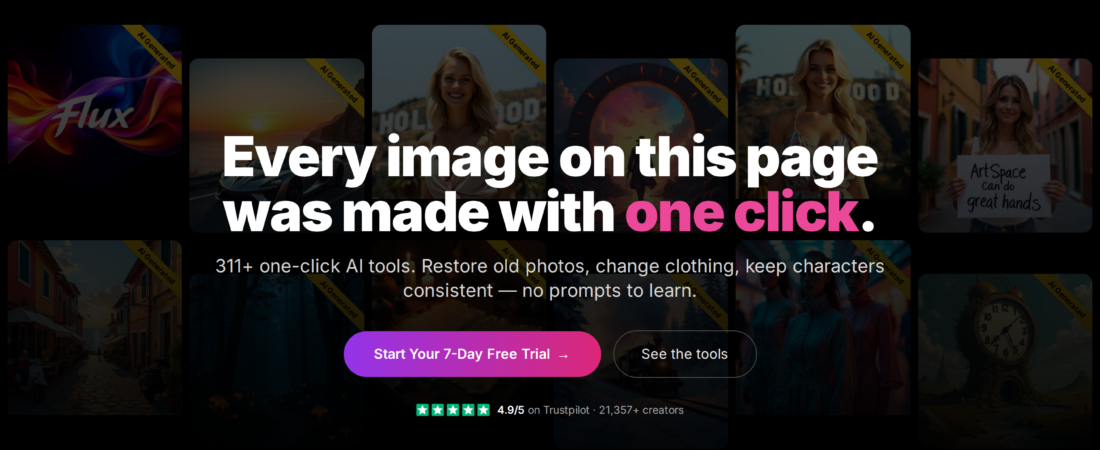
Ever paid $20 a month for an AI image generator, then spent forty minutes fighting a prompt box just to fix a blurry family photo?
Yeah. Me too. That’s the exact frustration ArtSpace is built around. Instead of teaching you to “prompt better,” it hands you 311+ one-click tools that do one job each and do it fast.
So is it genuinely useful, or just another subscription with a glossy landing page? I dug through the live product, the official pricing page, the lifetime deal terms, Trustpilot feedback and hands-on video tutorials to find out.
Here’s the short version: ArtSpace AI is a browser-based AI image generator and photo editor built around 311+ one-click tools, starting at $9/month (or a one-time lifetime payment). It’s not trying to out-prompt Midjourney. It’s trying to replace the boring middle of your workflow — background swaps, pose changes, upscaling, restoring old photos — with a single click.
If that sounds like your bottleneck, keep reading. If you need fine-grained artistic control, you’ll want to know where it falls short too.
What Is ArtSpace AI?
ArtSpace AI is a web-based AI image tool from Nico Engler IO that combines text-to-image generation with a library of 311+ “one-click” editing tools — no downloads, no plugins, no prompt engineering required.
The pitch is refreshingly blunt. Pick a tool, drop in an image, get a result. Restore a faded photo. Change someone’s outfit. Move a subject into a new scene. Colorize a black-and-white portrait. Colorize, sharpen, upscale, swap backgrounds — all without writing a single prompt.
Under the hood, the one-click tools run on premium models, and the site names three: FLUX Kontext, Seedream 4.0 and Nano Banana. That matters, because it means you’re not locked into one model’s quirks. You’re routing each task to whichever engine handles it best.
What surprised me most is the ecosystem around the generator. There’s a full Canvas Mode with inpainting and outpainting, a Studio layer for camera angles and posing, and a workflow that was clearly designed by someone who got tired of stitching four different apps together.
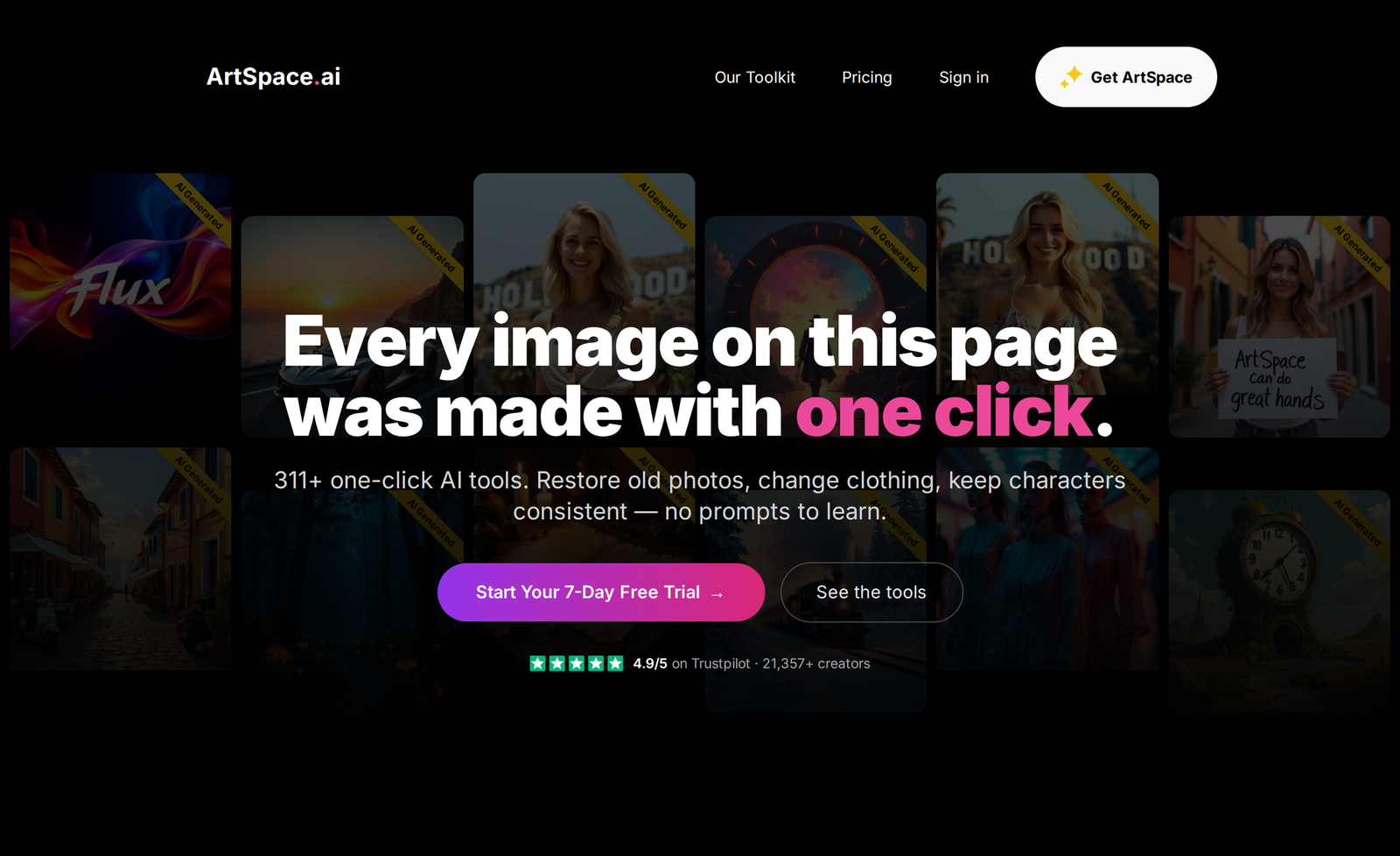
The ArtSpace AI homepage — “One click. Not one prompt.” (Screenshot captured from the live site.)
The one-line definition
If you only read one sentence: ArtSpace AI is a one-click AI photo editor and image generator that trades prompt control for speed, priced from $9/month with a one-time lifetime option.
ArtSpace AI Review at a Glance
| Category | What I found |
|---|---|
| Best for | Photographers, e-commerce sellers, casual creators, family-photo restoration |
| Weakest for | Artists who need granular prompt control and custom model tuning |
| Standout feature | 311+ one-click tools (and growing) with no prompt writing |
| Second standout | Camera Studio and Pose Studio — reshape a photo without changing the person |
| Starting price | $9/month (Starter), 7-day free trial on every plan |
| Lifetime option | Yes — one-time payment, pay once and keep access |
| Commercial use | Included on every plan |
| Max output | Up to 4096×4096 (4K) on Pro and Unlimited |
| Platform | 100% browser-based — Windows, macOS, Chrome OS, iPhone, iPad, Android |
| Trust signal | ArtSpace advertises 4.9/5 on Trustpilot with 21,357+ creators |
The pattern here is worth naming: most AI image tools sell you a model. ArtSpace sells you a workflow. That’s a different product category dressed in familiar clothing.
Key Features: What ArtSpace AI Actually Does
311+ One-Click Tools
This is the headline, and honestly it’s the reason most people land on the site. The tools library covers the tasks that eat time in any editing session:
- Restore Old Photo — repairs faded, torn and damaged images
- Colorize B&W Photo — adds lifelike color to old black-and-white shots
- Remove Background — clean cut-outs with a transparent background
- Change Pose — adjusts posture while keeping the same person
- Change Clothing — swaps outfits on a subject
- Change Scene / Change Background — drops your subject into any environment
- Sharpen Pro and Upscale Image — takes output up to 4K
- Change Artistic Style, Cartoon to Realistic, Text to Image
Each one is genuinely a single click. No slider gymnastics, no negative prompts, no “prompt weight” syntax.
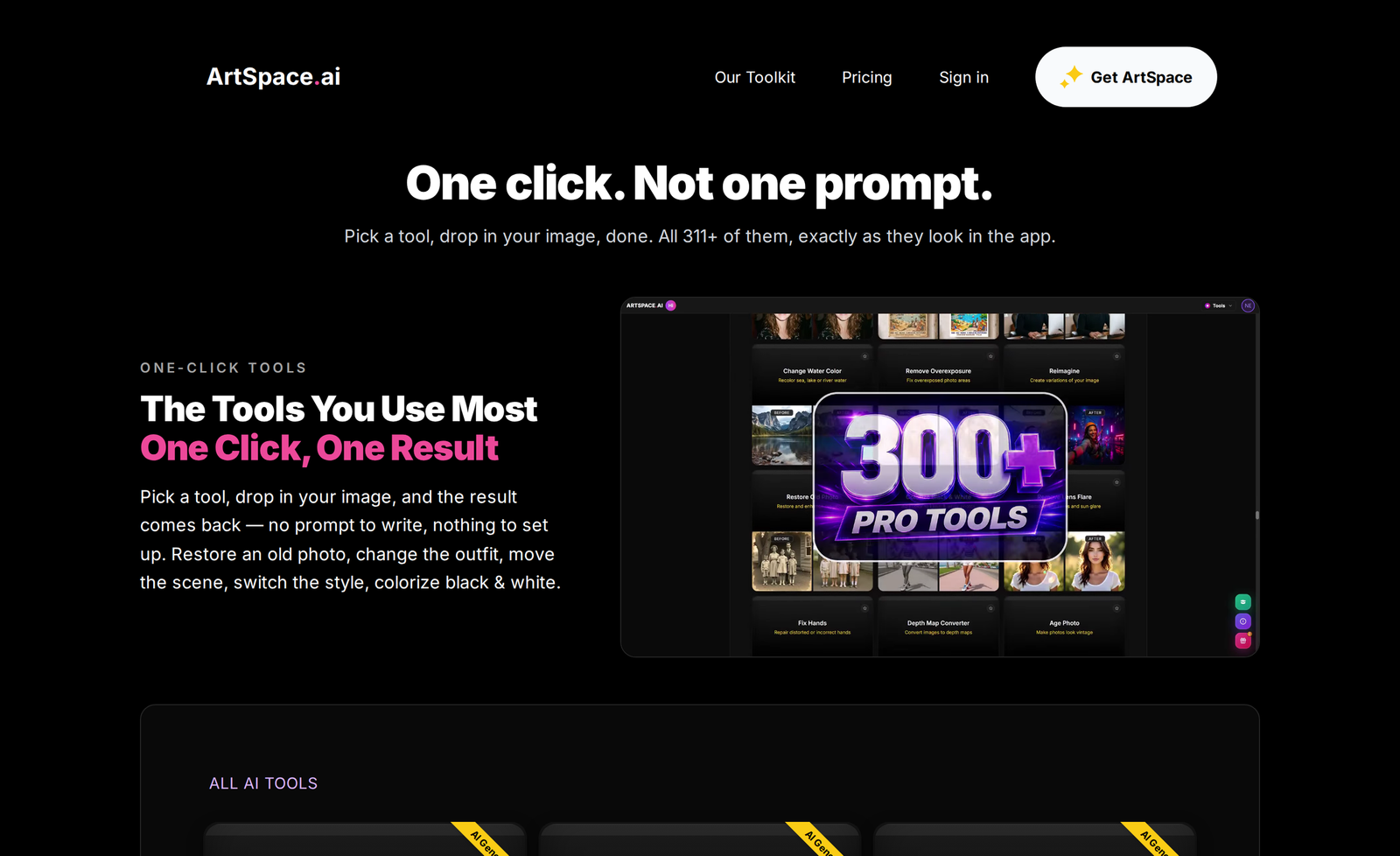
The one-click tools library — each tool does one job with no prompt required.
Honest caveat: when everything is a preset, you surrender fine control. If you like tuning a prompt word by word, this will feel like wearing mittens.
Canvas Mode: Text to Image, Inpainting & Outpainting
Canvas Mode is the “pro” half of the product, and it’s the part that surprised me most.
- Text to Image — type a description, get an image in seconds
- Inpainting — remove unwanted objects and repair specific areas precisely
- Outpainting — expand an image beyond its original borders to build a larger composition
- Generation history — revisit, remix and re-run previous outputs
- Seed and settings control — lock a seed when you need consistency across a set
If you’ve ever wanted to extend a cropped photo or cleanly delete a bystander from the background, this is where ArtSpace stops being a toy and starts being a tool.
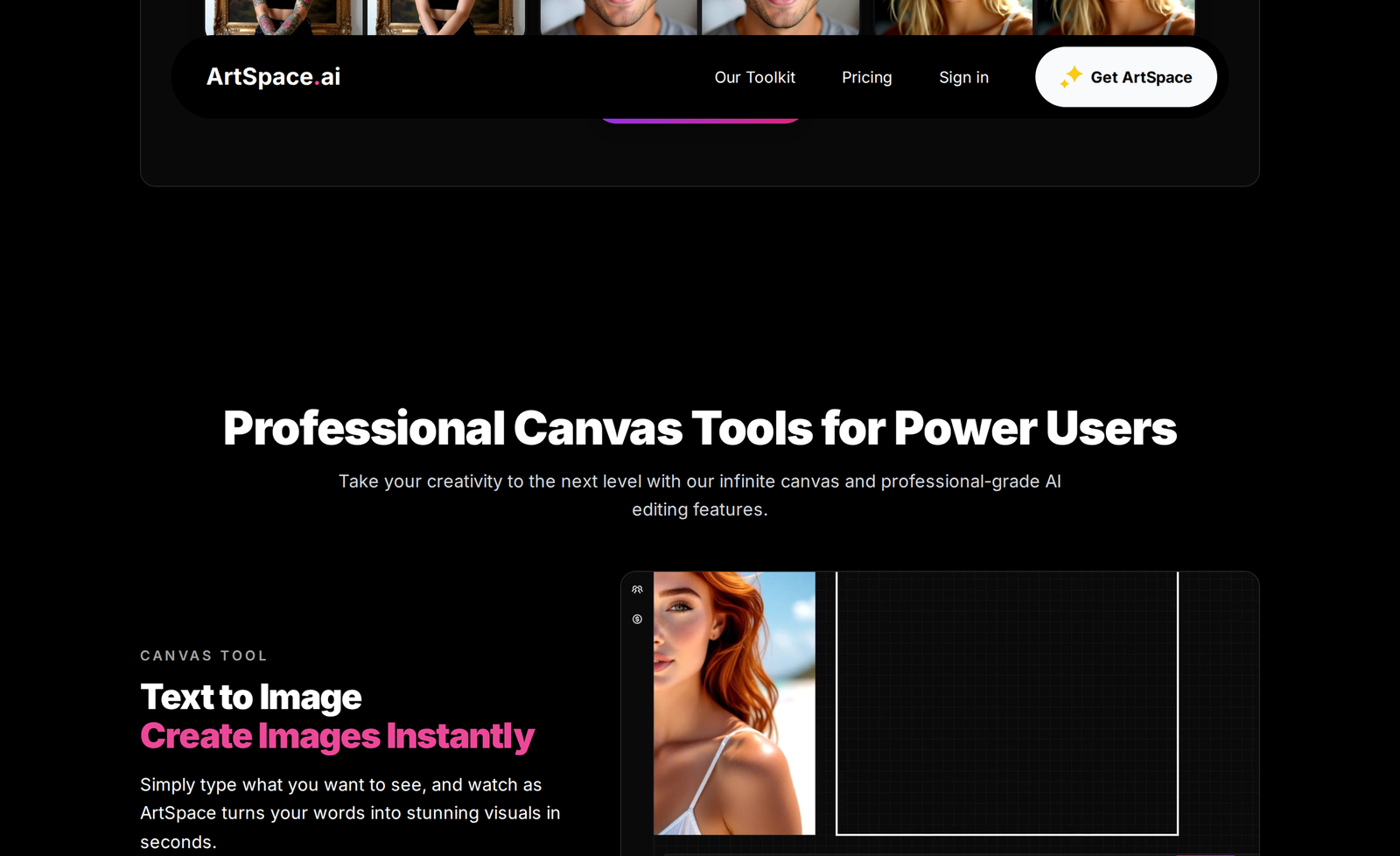
Canvas Mode covers text-to-image, inpainting, outpainting, upscaling and background removal.
4K Upscaling and Background Removal
Both are worth calling out separately because they’re the two features people actually use daily.
Upscaling takes images up to 4096×4096. For print work, product mockups or simply reviving a low-resolution photo, that’s a real capability and not a marketing number.
Background removal is the quiet workhorse. Anyone who’s spent half an hour pathing around hair in Photoshop knows why a one-click version matters. Creators in the ArtSpace reviews make the same point repeatedly — a task that used to eat 30 minutes now takes seconds.
The Studios: Camera Studio and Pose Studio
This is ArtSpace’s newest and most interesting layer, and it’s the part that’s hardest to find elsewhere at this price.
Camera Studio lets you upload one photo and “reshoot” it from a different camera position. There are 8 camera directions and 4 heights, and you can build a complete turnaround — front, side, back — while keeping the same colors, materials and details in every shot.
Pose Studio takes one photo and puts the same person into a new pose. You can pick from 46 built-in poses, or upload a reference photo and copy only the posture. Face, clothing and background stay exactly as they are.
Both save as projects, so you can reopen a shoot and add more angles or poses later.
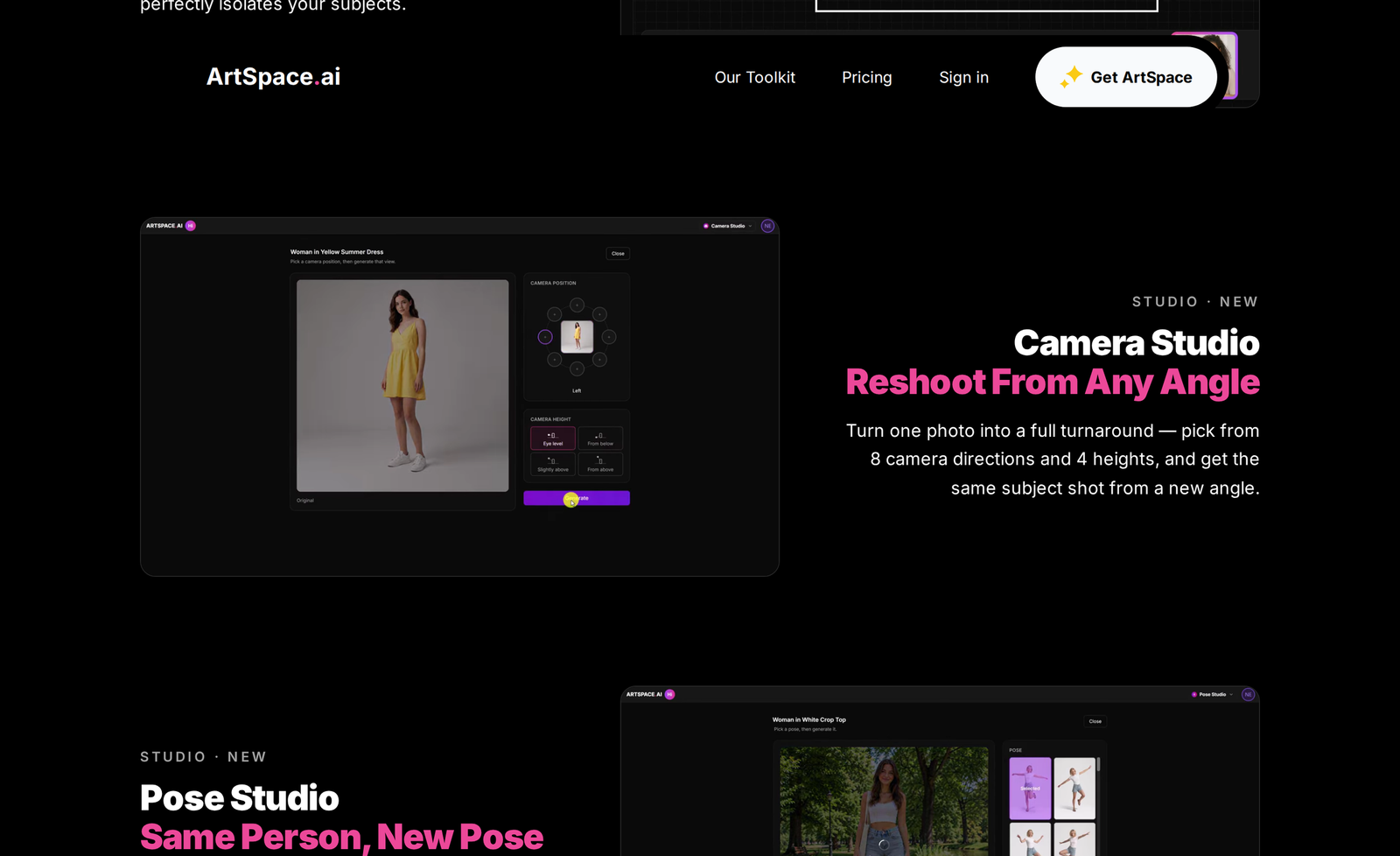
The Studios: Camera Studio (8 directions, 4 heights) and Pose Studio (46 ready-made poses).
Why does this matter? Because “same person, different pose” is the single hardest thing in AI image generation. Generative models love to reinvent faces. ArtSpace built a product feature around not doing that.
A Character Studio is flagged as coming soon, along with Storybooks and Power Chat.
How to Use ArtSpace AI: The 3-Step Workflow
ArtSpace keeps this deliberately short. Here’s the official flow, and it matches what I saw in the video walkthroughs:
- Pick a tool. Choose from 311+ one-click tools, or start with a text prompt.
- Let the AI create it. Premium models generate the image in seconds.
- Download and own it. Export up to 4K with full commercial rights.
That third step deserves emphasis. Commercial use is included on every plan, including the $9 Starter tier. Plenty of competitors lock commercial rights behind their most expensive subscription — ArtSpace doesn’t.
Where it fits in a real workflow
- Family archive projects: restore → colorize → upscale, in that order
- E-commerce listings: remove background → change scene → export at 4K
- Content creation: text to image → inpaint the flaws → outpaint for banner ratios
- Portrait work: Camera Studio for a turnaround, Pose Studio for variations
ArtSpace AI Pricing 2026: Plans, Costs and the Lifetime Deal
Straight answer: ArtSpace starts at $9/month, with a yearly option that cuts roughly 20%, plus a separate one-time lifetime deal. Every plan includes commercial use and a 7-day free trial.
| Plan | Price | Images/month | Key differences |
|---|---|---|---|
| Starter | $9/mo | 300 | 311+ one-click tools, relaxed (off-peak) queue, commercial use, standard support. No Canvas Mode. |
| Pro | $19/mo | 1,500 | Priority full-speed queue, Canvas Mode, premium AI models, inpainting/outpainting, up to 4096×4096, seeds and settings, generation history, priority support |
| Unlimited | $39/mo | Unlimited | Everything in Pro plus the Studios — Camera Studio, Pose Studio, Character Studio (soon), Storybooks, Power Chat, Priority+ support |
All prices are in USD, billed monthly or yearly, and cancel anytime. Taxes (VAT/GST) are calculated at checkout on top of the listed price.
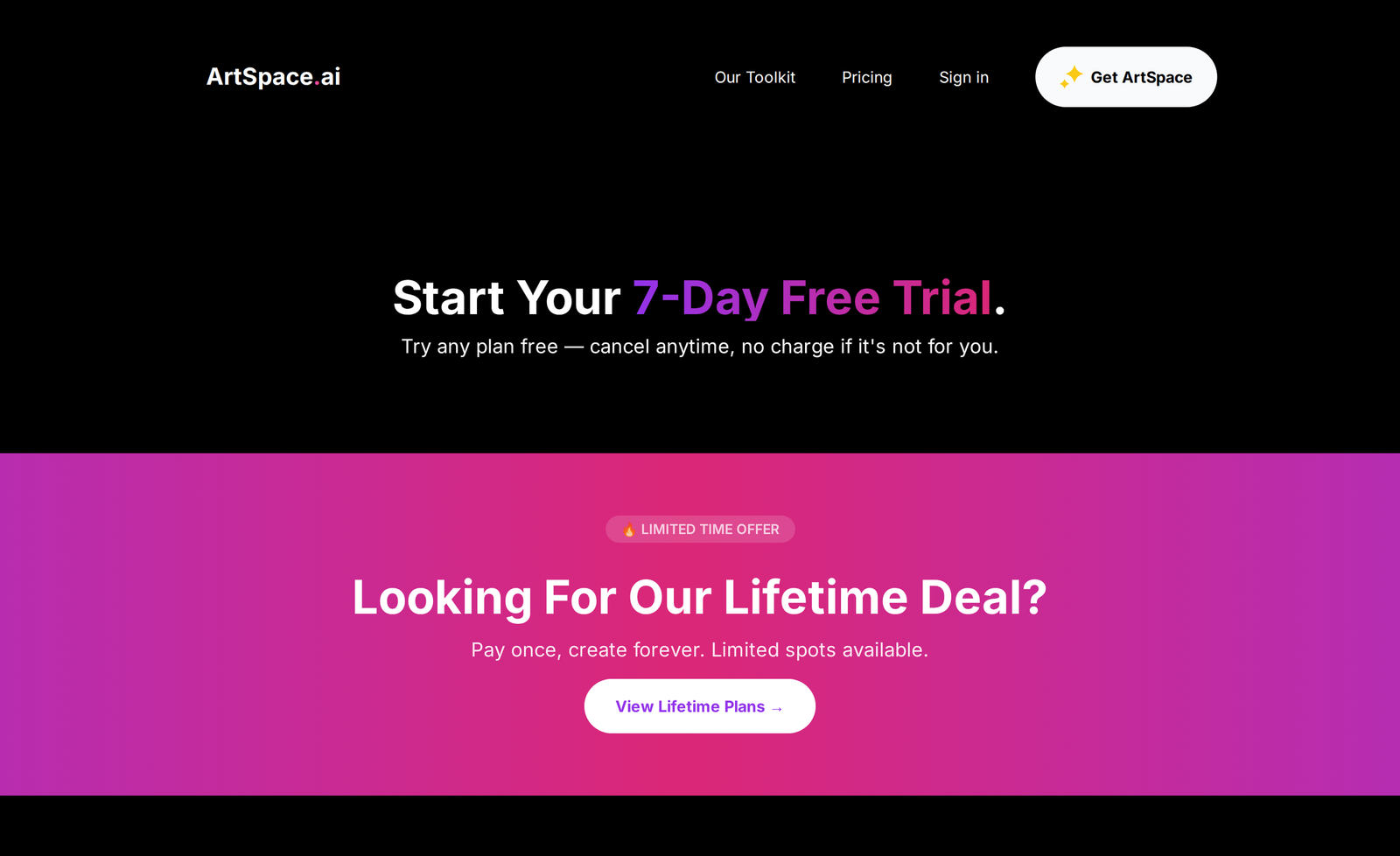
ArtSpace AI pricing as listed on the official page — $9, $19 and $39 per month.
The single most important line in that table: Canvas Mode is not in the $9 Starter plan. If you want inpainting, outpainting, model switching and 4K output, you need the $19 Pro tier. Starter is for straightforward one-click edits only.
What the lifetime deal actually gives you
ArtSpace also sells a one-time lifetime licence: pay once, create forever, no subscription. It includes the 311+ one-click tools, a 7-day guarantee, and Canvas Mode on the Pro and Unlimited lifetime tiers. The site markets it as a replacement for “$99/month AI subscriptions.”
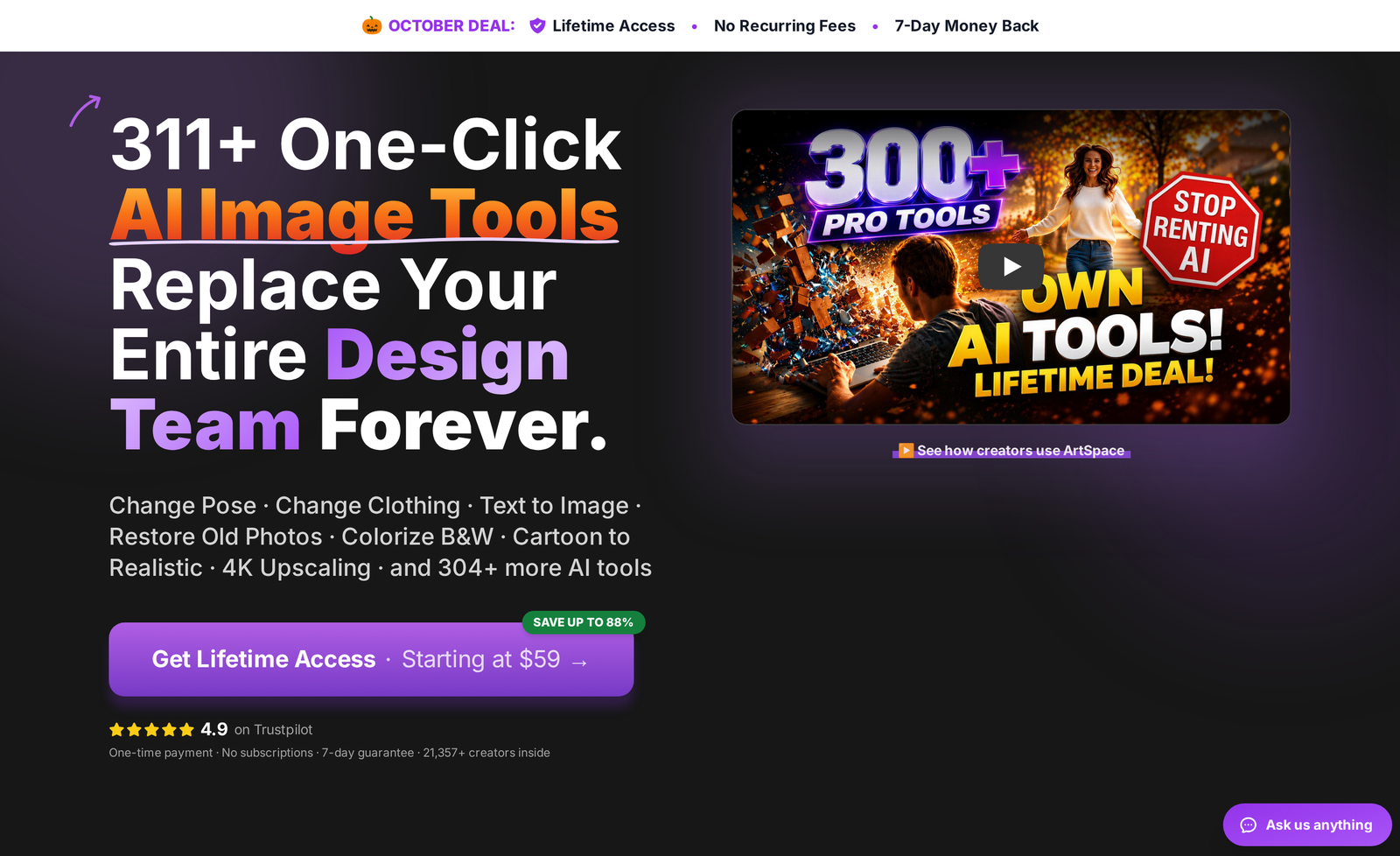
The ArtSpace lifetime deal — a one-time payment instead of a recurring subscription.
Is it worth it? Do the math on your own usage:
- If you create fewer than 300 images a month and never need Canvas Mode, Starter at $9/month is the low-risk entry point.
- If you need inpainting, outpainting or 4K exports, Pro at $19/month is the realistic floor.
- If you’d pay for 12+ months anyway, the lifetime deal is the better economics — one payment versus an open-ended subscription. Several long-term reviewers say exactly this, having bought in during 2024 and still receiving every new tool at no extra cost.
One warning worth repeating from the official FAQ: there are no hidden upsells after purchase, but the plan tiers are real gates, not cosmetic ones.
A content gap most reviews get wrong
Here’s something you won’t read in most ArtSpace AI reviews: a number of published third-party reviews still describe ArtSpace as a community marketplace with no built-in editing tools, and quote an entry price of $3.99/month.
As of this review, that no longer matches the product. The official pricing page lists a $9/month Starter plan, and the platform ships 311+ editing and generation tools — the opposite of “generate and export only.”
Why does it matter? Because search results are full of stale snapshots. If you’re comparing ArtSpace against Fiddl Art or another AI art tool, check the live pricing page before you decide. Reviews age badly; pricing pages don’t.
ArtSpace AI vs Midjourney vs Canva AI
Different tools, different jobs. Here’s the honest split:
| ArtSpace AI | Midjourney | Canva AI | |
|---|---|---|---|
| Approach | One-click tools + prompts | Prompt mastery | Template-first design |
| Learning curve | Very low | Steep | Very low |
| Photo restoration | Yes, one click | No | Limited |
| Pose/camera control | Yes (Pose + Camera Studio) | No | No |
| Background removal | Yes, one click | No | Yes |
| Inpainting/outpainting | Yes (Pro+) | Yes (Vary Region) | Limited |
| Commercial rights | Included on all plans | Paid tiers | Paid tiers |
| Entry price | $9/month | From ~$10/month | Free tier + Pro |
| Lifetime option | Yes | No | No |
| Best at | Editing and transforming existing photos | Original artistic generation | Social graphics and layouts |
The takeaway: if your job is “make this photo look better, differently, or bigger,” ArtSpace wins on speed. If your job is “create a breathtaking original artwork from nothing,” Midjourney still leads. And if you’re assembling social posts from templates, Canva remains the layout king.
ArtSpace sits in a genuinely underserved spot: the editing middle ground. It’s the difference between generating and fixing.
If you want to see how it stacks up against other AI tools in the same review series, our Story Prism review covers a very different AI content approach, and the AuraChat review covers conversational AI. We’ve also broken down Nimbalyst and Viblo AI if you’re building a broader stack.
What Real Users Say
Reviews are where a product’s claims get tested. ArtSpace advertises 4.9/5 on Trustpilot with 21,357+ creators, and the themes in the Trustpilot reviews are consistent across dozens of entries:
- Speed. Users repeatedly say tasks that took 30 minutes in Photoshop now take seconds.
- Photo restoration. This is the most common use case by far — family archives, faded photos, damaged originals.
- Support. The founder, Nico, is named directly in review after review for personal, fast responses.
- Value. Multiple reviewers mention upgrading from Starter to Pro and paying only the difference.
- Free evolution. Lifetime buyers note that new tools keep arriving at no extra charge.
The recurring criticism? Not much about the output quality — more that the tool library is so large that it’s easy to overlook features you’d actually use.
Watch ArtSpace AI in action
- ArtSpace AI Review + Tutorial 2026 (AI Image Lifetime Deal) — full walkthrough of the tools
- Artspace AI Review: Best AI Image Generator and Editor In 2026? — direct comparison discussion
- Artspace AI Review — Important Things To Know — short, sharp, buyer-focused
- Is Art Space AI Worth It? Honest Review Before You Try — a sceptical take worth watching
Pros and Cons
Pros
- 311+ one-click tools — the widest editing library at this price point
- Genuinely zero learning curve for the core tools
- Canvas Mode with real inpainting and outpainting
- Camera Studio and Pose Studio solve the “keep the same face” problem
- Commercial use on every plan, including Starter
- 7-day free trial on all tiers, plus a one-time lifetime option
- Runs entirely in the browser on any device
- Actively developed — new tools arrive without a price increase
Cons
- Canvas Mode is gated behind the $19 Pro tier
- Preset-driven workflow means less fine control than Midjourney
- The 311-tool library can feel overwhelming at first
- Off-peak queue on Starter means slower generation
- Some third-party reviews are outdated and misprice the product
Who Should Buy ArtSpace AI (and Who Shouldn’t)
Buy it if you:
- Restore and colorize old family photos
- Run an e-commerce store and need product images edited fast
- Create content at volume and want speed over endless tweaking
- Need the same person in multiple poses or camera angles
- Want commercial rights without a premium-tier upsell
Skip it if you:
- Need granular prompt control and custom model training
- Only generate original art and never edit existing photos
- Need advanced compositing, layer control or print-ready CMYK workflows
Internal Linking Opportunities
For site owners publishing this piece, these are the highest-value internal links to place inside the body copy (the ones already live in this draft are marked):
- Fiddl Art review — anchor inside the “ArtSpace vs other AI art tools” comparison (placed)
- Story Prism review — anchor in the “what real users say / broader stack” section (placed)
- AuraChat review — anchor in the AI tool stack roundup (placed)
- Nimbalyst review and Viblo AI review — cluster links for the “AI tools” category hub (placed)
- Finestro AI review and Vailo AI review — suggested for a future “best AI image tools” roundup
FAQ: ArtSpace AI Questions Answered
Is ArtSpace AI legit? Yes. ArtSpace AI is an established, actively developed platform with a large body of verified Trustpilot reviews, a public pricing page, a documented 7-day trial and a 7-day guarantee on the lifetime deal. It is not a fly-by-night tool.
How much does ArtSpace AI cost? Starter is $9/month for 300 images, Pro is $19/month for 1,500 images, and Unlimited is $39/month for unlimited images. A yearly billing option reduces prices by roughly 20%, and a one-time lifetime deal is also available.
Is there a free trial? Yes — every plan includes a 7-day free trial. You can cancel anytime, and you won’t be charged if it isn’t for you.
Is there a free plan? No. ArtSpace has no permanent free tier, but the 7-day trial lets you test the full toolset before paying.
Are the images commercially usable? Yes. Commercial use is included on every plan, including the $9 Starter tier. The official FAQ also confirms there are no watermarks on generated images.
Do I need to write prompts? For the one-click tools, no. You pick a tool and supply an image. Prompts are optional and only needed for text-to-image generation or the Canvas Mode tools.
What’s the difference between Starter and Pro? The main one is Canvas Mode. Pro adds inpainting, outpainting, premium model switching, up to 4096×4096 resolution, seed and settings control, and a priority generation queue. Starter is limited to one-click edits with 300 images per month.
Does it work on mobile? Yes. ArtSpace runs in the browser on Windows, macOS, Chrome OS, iPhone, iPad and Android, and your plan works across all the devices you own.
Is ArtSpace AI better than Midjourney? Not for original artistic generation — Midjourney still wins there. ArtSpace is better for editing, restoring, upscaling and transforming existing photos quickly, and it doesn’t require Discord or prompt-engineering skill.
Can I get a refund? The lifetime deal carries a 7-day guarantee, and monthly plans include a 7-day free trial. Check the official Terms for the current refund policy before purchasing.
Final Verdict
ArtSpace AI isn’t trying to be the best image generator in the world, and that’s precisely why it works.
Most people don’t need to prompt like a researcher. They need a faded photo restored, a background removed, a pose changed, and an image upscaled to 4K — fast, without a month of tutorials. ArtSpace handles all of that in one click, from $9/month, with commercial rights included and a one-time lifetime option if you’d rather not rent software forever.
My verdict: if your work involves editing and transforming images rather than generating original art from scratch, this is one of the strongest value plays in 2026. Start with the 7-day trial, and if Canvas Mode matters to your workflow, budget for Pro rather than Starter.
If you only generate art and never edit, Midjourney remains the better fit — and you can now skip the rest of this page guilt-free.
Screenshots in this article were captured from the live ArtSpace.ai website using automated (Playwright) browser rendering in October 2026. Pricing and feature details reflect the official pages at the time of publication and are subject to change — always confirm on artspace.ai/pricing before purchasing.